

Free computer repairshop softwareNo time limit, no credit card. Tickets for laptops and desktops, from diagnosis to pickup, for up to 100 repairs a month.
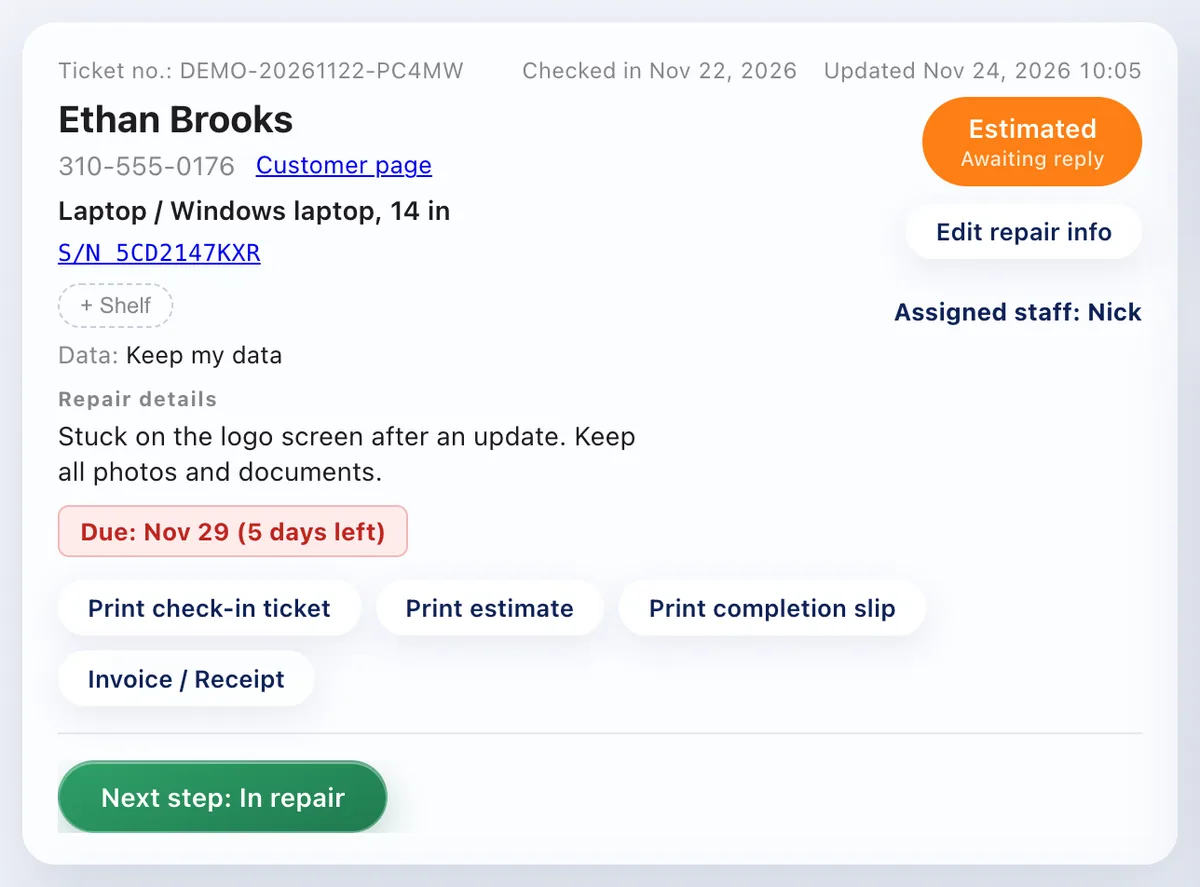
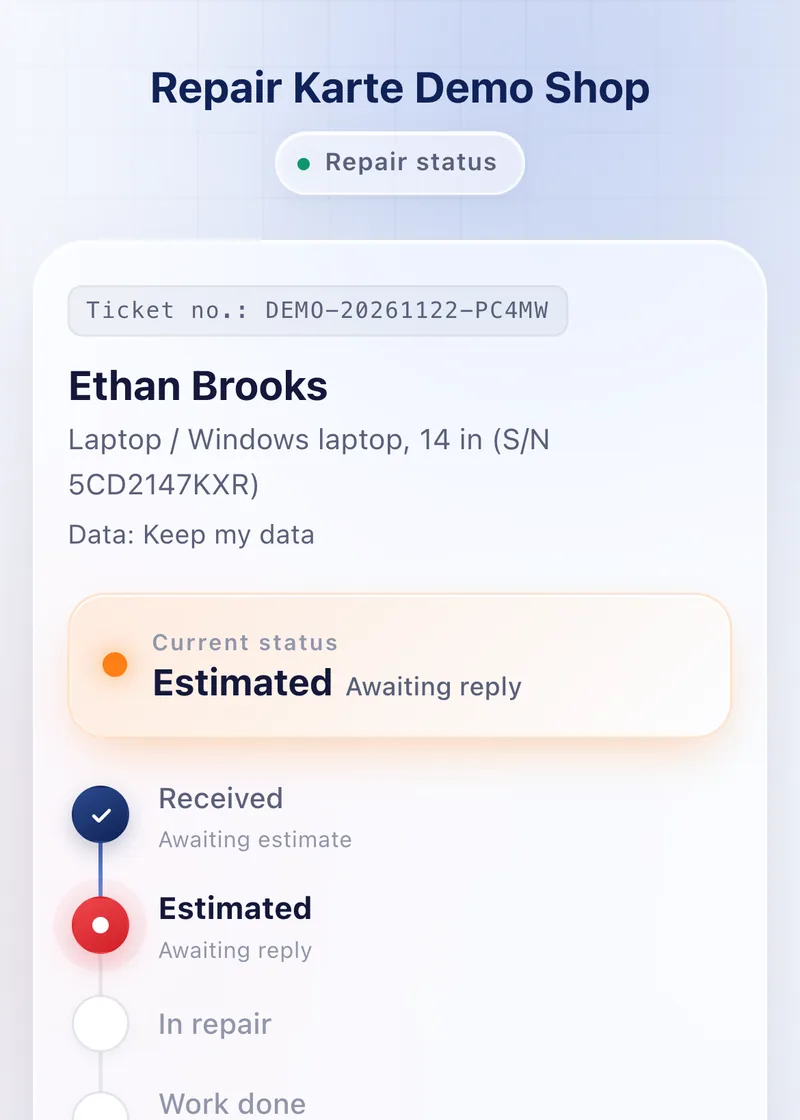
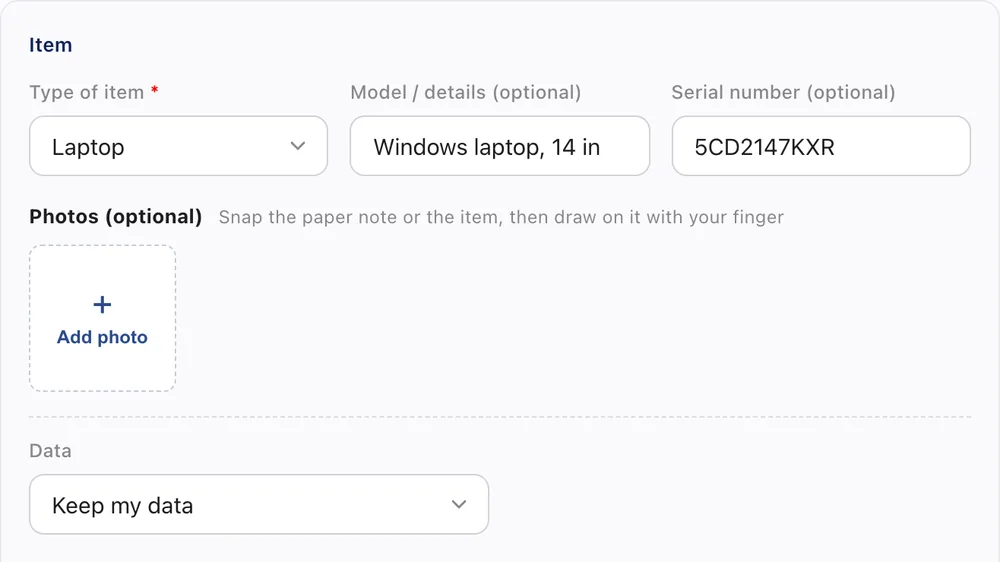
Up to 100 repairs a month for 1 login. No credit card.
Open a practice shop in your browser. No email needed.
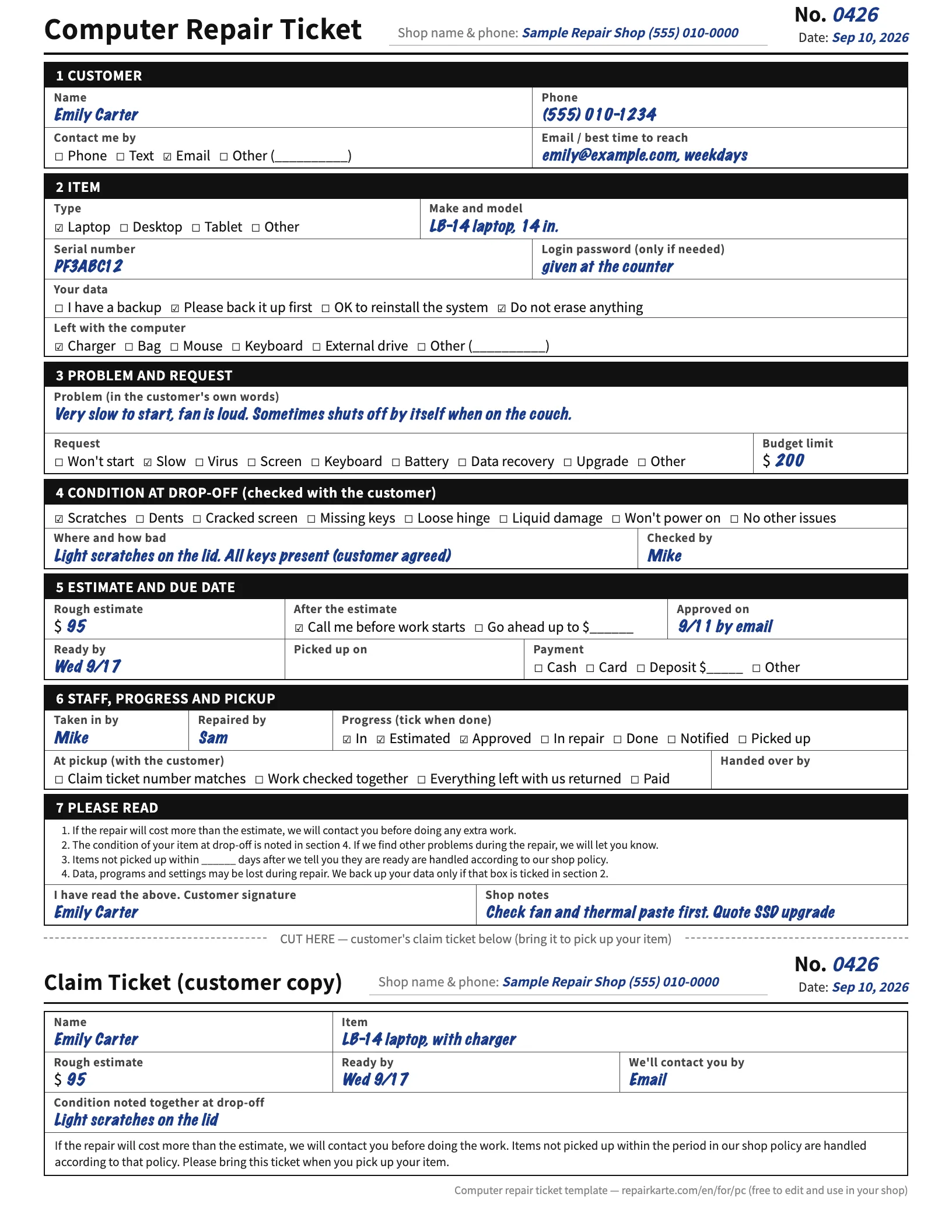
Print and fill in by hand, with a tear-off claim ticket. No sign-up.
Every new account gets all Pro features for 14 days first. If you don't choose a plan, it simply stays on Free and you are never charged.
Don't retype your old tickets. Send us your files or photos of paper tickets, and our team brings them into Repair Karte, free.
Excel or CSV files, your old system's export, or photos of paper tickets
Free on every plan, including Free. Your customers are not messaged during the import. After you sign up, send them from Ask us to import (on the setup-complete screen and in Settings). We let you know in the support chat when it's done.
On this page
- What a computer repair shop gets for free
- A diagnosis and repair, start to finish
- When it's worth paying
01What a computer repair shop gets for free
Type, model, serial number and the customer's own description of the problem, with a printed claim tag.
Add a field like Data: keep or OK to reset, so every technician sees it before they touch the drive.
What you find goes on the timeline, so anyone at the counter can answer when the customer calls.
Send the diagnosis as a line-item estimate with a note, or two options. The customer approves it online.
Every repair the same laptop has had, even when a different family member brings it in.
Schedule visits, see the week on a board with map and call buttons, and get the estimate signed on site.
Up to 100 repairs a month for 1 login. No credit card, no end date.
02A diagnosis and repair, start to finish
- 01Check in
Laptop or desktop, model, serial number, and the problem in the customer's words.
- 02Data and accessories
Keep the data or OK to reset, and what came with it: charger, bag, mouse. Your own fields.
- 03Signature
The customer signs on screen. Print the claim tag with the same number.
- 04Diagnosis
Write what you find on the timeline: the drive is failing, the fan is clogged.
- 05Estimate
An SSD with data transfer, or a new SSD only, as two options with a note for the customer.
- 06Approval
Share the status page link. The customer approves from their phone instead of calling back.
- 07Test before handover
Boots, Wi-Fi, keyboard, charging. Handover can wait until every item is ticked.
- 08Pickup
Record the payment, deposits taken off. The work stays on the machine's history.
All eight steps work on the Free plan, in the shop or at the customer's place. On Free you share the status page link yourself, by email or however you usually reach customers.
03Free vs paid plans
The same lines as our pricing table, plan by plan.
| Feature | Free$0/mo | Standard$30/mo | Pro$60/mo |
|---|---|---|---|
| Repair intake & records | 100 a month | Unlimited | Unlimited |
| Staff logins | 1 | Up to 3 | Unlimited |
| Customer records & repair history | Yes | Yes | Yes |
| Printing | Yes | Yes | Yes |
| Ledger import | Yes | Yes | Yes |
| On-site repairs | Yes | Yes | Yes |
| POS & register close | Yes | Yes | Yes |
| Payments received | Yes | Yes | Yes |
| Inventory | Yes | Yes | Yes |
| Customer status page & online estimate approval | Yes | Yes | Yes |
| Automatic email updates to customers | No | Yes | Yes |
| Automatic estimate & pickup reminders | No | Yes | Yes |
| KarteChat | No | Yes | Yes |
| CSV export & sales ledger | No | Yes | Yes |
| Mail-in repairs | No | Yes | Yes |
| Customer card payments | No | Yes | Yes |
| Sales dashboard | No | No | Yes |
| Appointments | No | No | Yes |
| Photos | No | No | Yes |
| Automatic Google review requests | No | No | Yes |
| Your logo at the top of customer pages | No | No | Yes |
| Priority support | No | No | Yes |
Prices are for the United States, per shop; other countries pay in their local currency (prices by country).
Also free on every plan
A status page for each repair (customers can also look up their repairs by phone number), online estimate approval on that page, customer signatures, inspection checklists, custom intake fields, item history by serial number, payments received, inventory, a built-in POS with register close, on-site repairs, and invoices that become receipts when paid.
Not on Free
Automatic emails to customers, and the QR code on the claim tag that takes customers to their status page. On Free you share the page link yourself, or call or message customers your usual way.
04When a free plan stops being enough
You pass 100 new repairs in a month, or a second technician needs their own login.
You want customers emailed automatically when the diagnosis is ready and when the computer is ready, with a QR code on the claim tag (Standard, $30 a month).
You start taking repairs by mail, or want customers to pay by card before pickup (Standard).
You want photos on tickets and repair reports, appointment booking, or a sales dashboard (Pro, $60 a month).
Every new account gets all Pro features for 14 days first, so you can see which of these you actually use. If you don't choose a plan, the account simply stays on Free.
05Common questions
Is there free computer repair shop software with no time limit?
Yes. Repair Karte's Free plan has no end date and needs no credit card: up to 100 repairs a month for 1 login, with repair tickets, diagnosis notes, history by serial number, inspection checklists, a status page with online estimate approval, on-site visits, a built-in POS and inventory.
How do I tell the customer what the diagnosis found?
Add a note for the customer to the estimate. It shows with the line items on the status page, where they approve it. On Free you share the link; on Standard ($30 a month) the estimate is emailed automatically.
Does the free plan include on-site repairs?
Yes. On-site repairs are on every plan, including Free: schedule visits, a weekly visit board with map and call buttons, the estimate with a call-out fee line and the customer's signature on site, then done and handed over in one step.
Can I bring over my existing tickets for free?
Yes, on every plan including Free. Send an Excel or CSV ledger, an export from another repair system, or photos of your paper tickets, and our team imports them for you. Customers are not notified.
What happens after the free trial?
Every new account gets all Pro features for 14 days. Unless you choose a paid plan, it switches to Free automatically and you are never charged. Your tickets stay.