For repair shops
From intake to customer updates, checkout, and sales totals: everything a repair counter needs, in one place.
Start freeFrom intake to handover,on a single record
The item's condition, the work, the price, and the due date on one record. No more rewriting or hunting for paper slips.
Learn more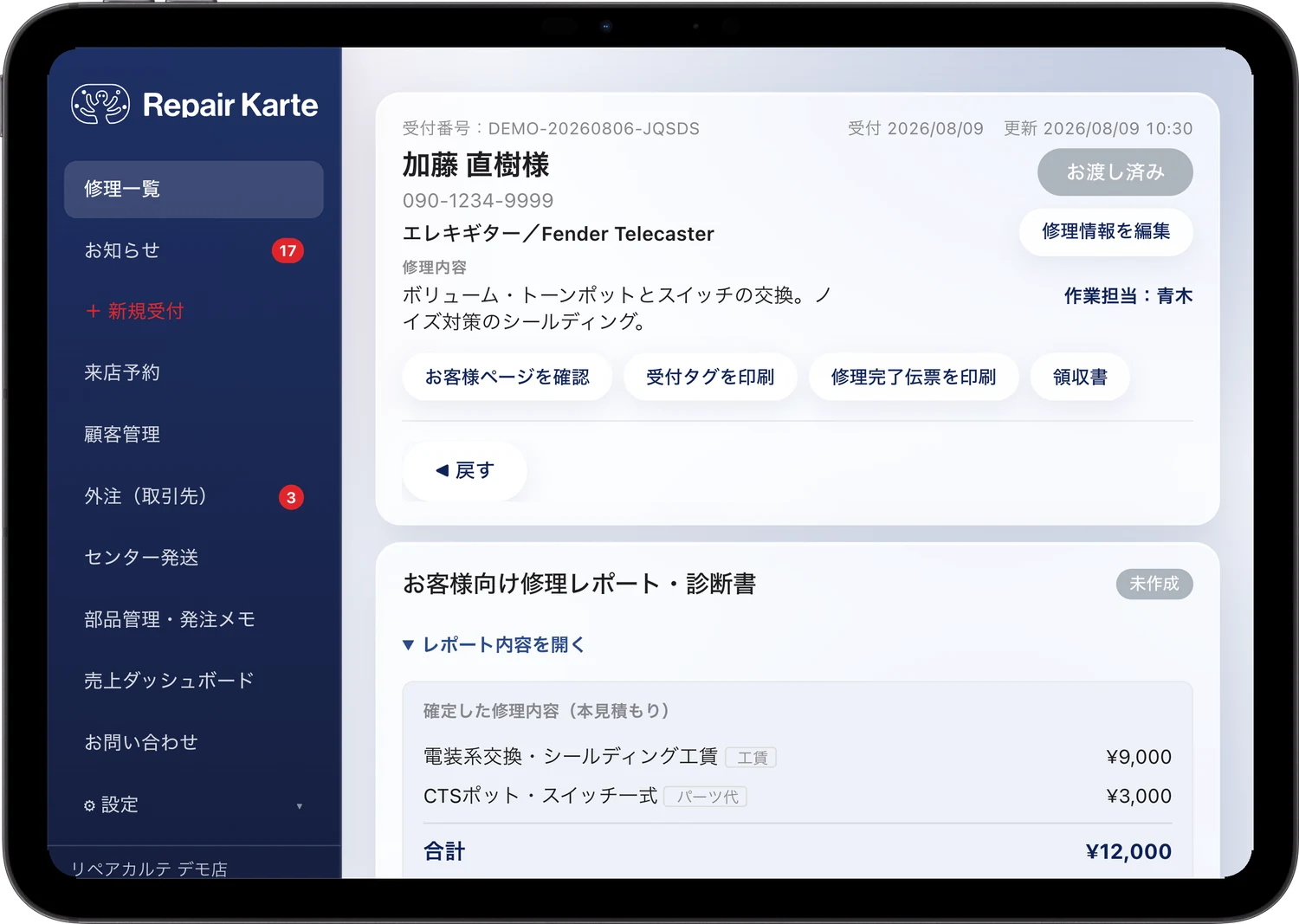
Customer, item, symptoms, estimate, due date, progress, and work notes — everything lives on a single record.
However many items arrive together, take them in at once and track each one individually.
Print a tag with the intake number on the spot. Attach it to the item and mix-ups are gone.
Also
Estimate approvals and progress updates,over LINE
Change the status and the customer is notified over LINE automatically. Estimates are approved right from their phone. Customers without LINE get email.
Learn more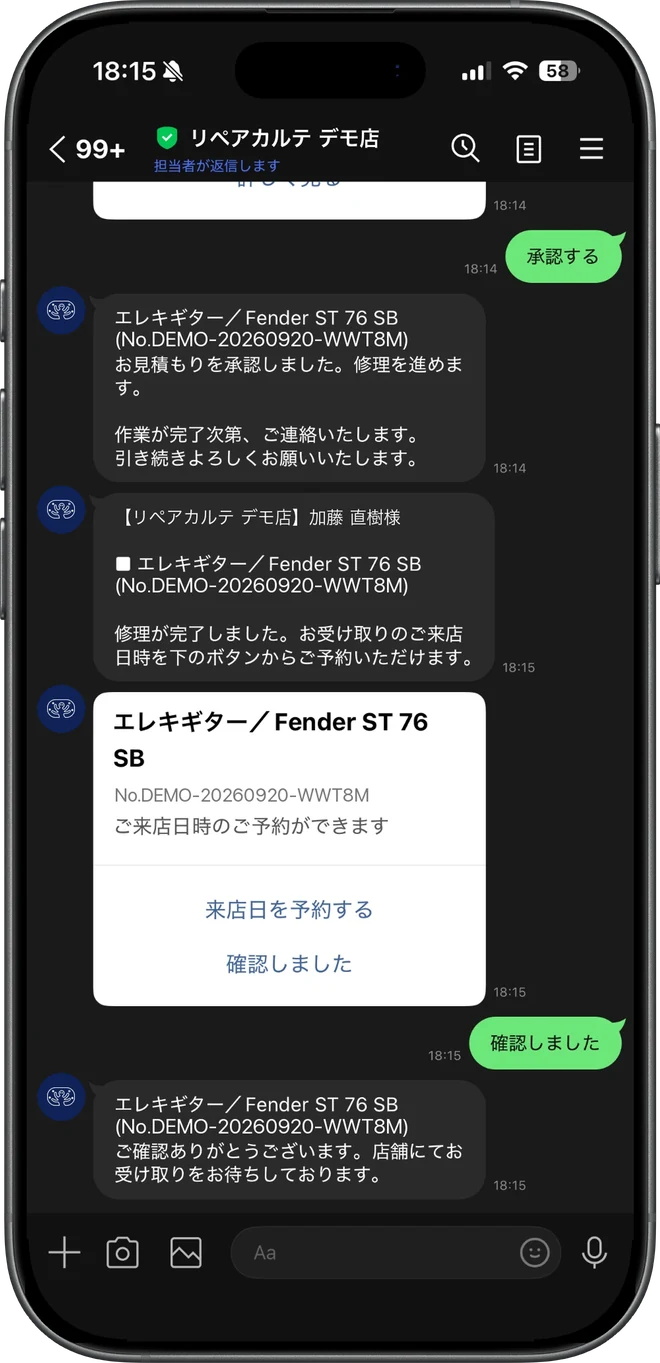
Just advance the status, and a notice goes out to the customer's LINE automatically.
Customers review the estimate on their screen and approve or cancel on the spot.
Via QR code or LINE, customers can check on their repair anytime, by themselves.
Also
Be the shop that remembers“same as last time”
Repair history builds up per phone number, so next time you see the previous work and notes at a glance.
Learn more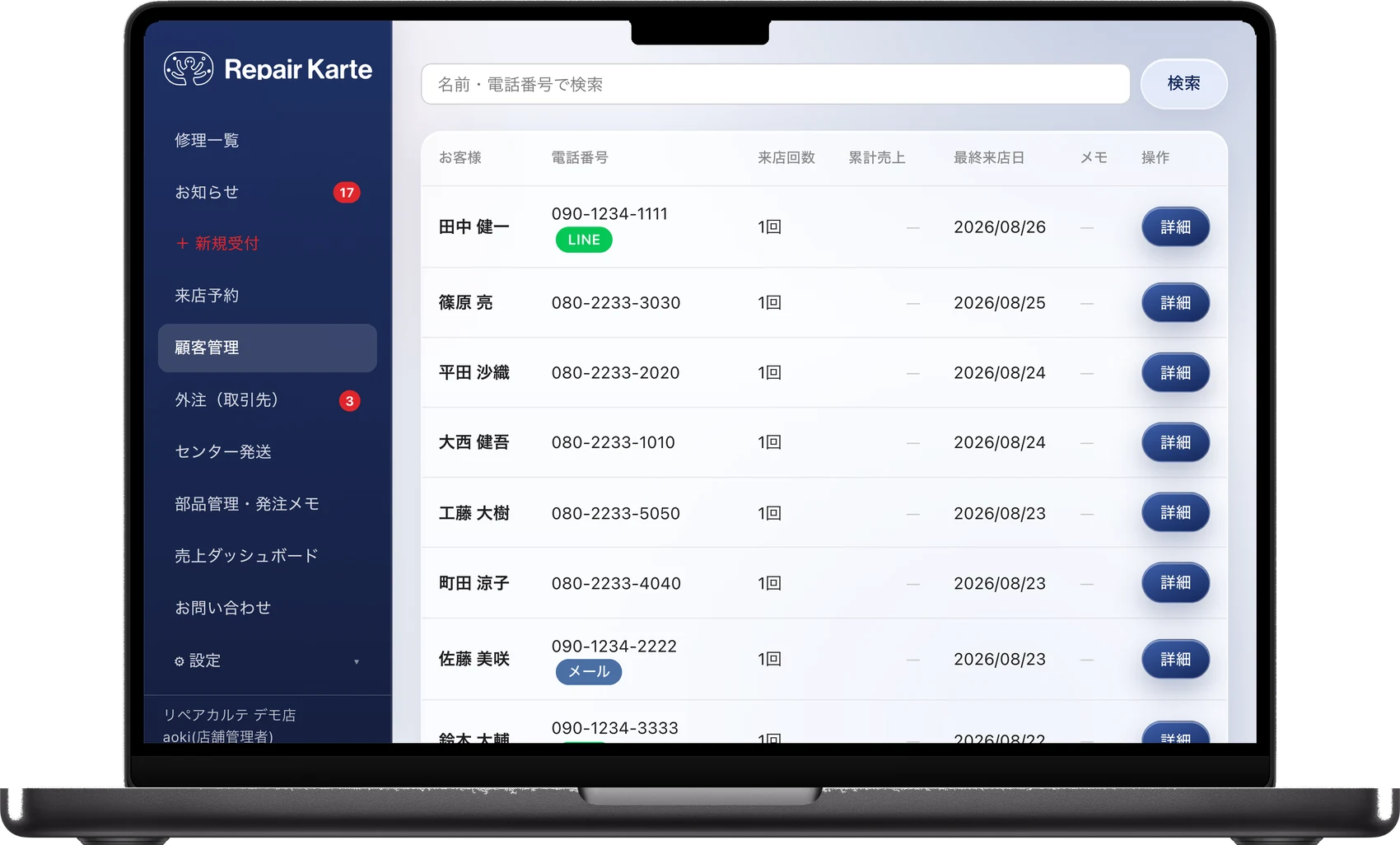
Just take in repairs as usual — the customer's history accumulates on its own.
Per-customer notes let the whole staff share preferences and points of care.
Past symptoms and work are instantly visible — the kind of service that gets chosen again.
Checkout isjust a scan
The completion slip carries a barcode with the final amount. Scan it at your POS and the price is entered for you.
Learn more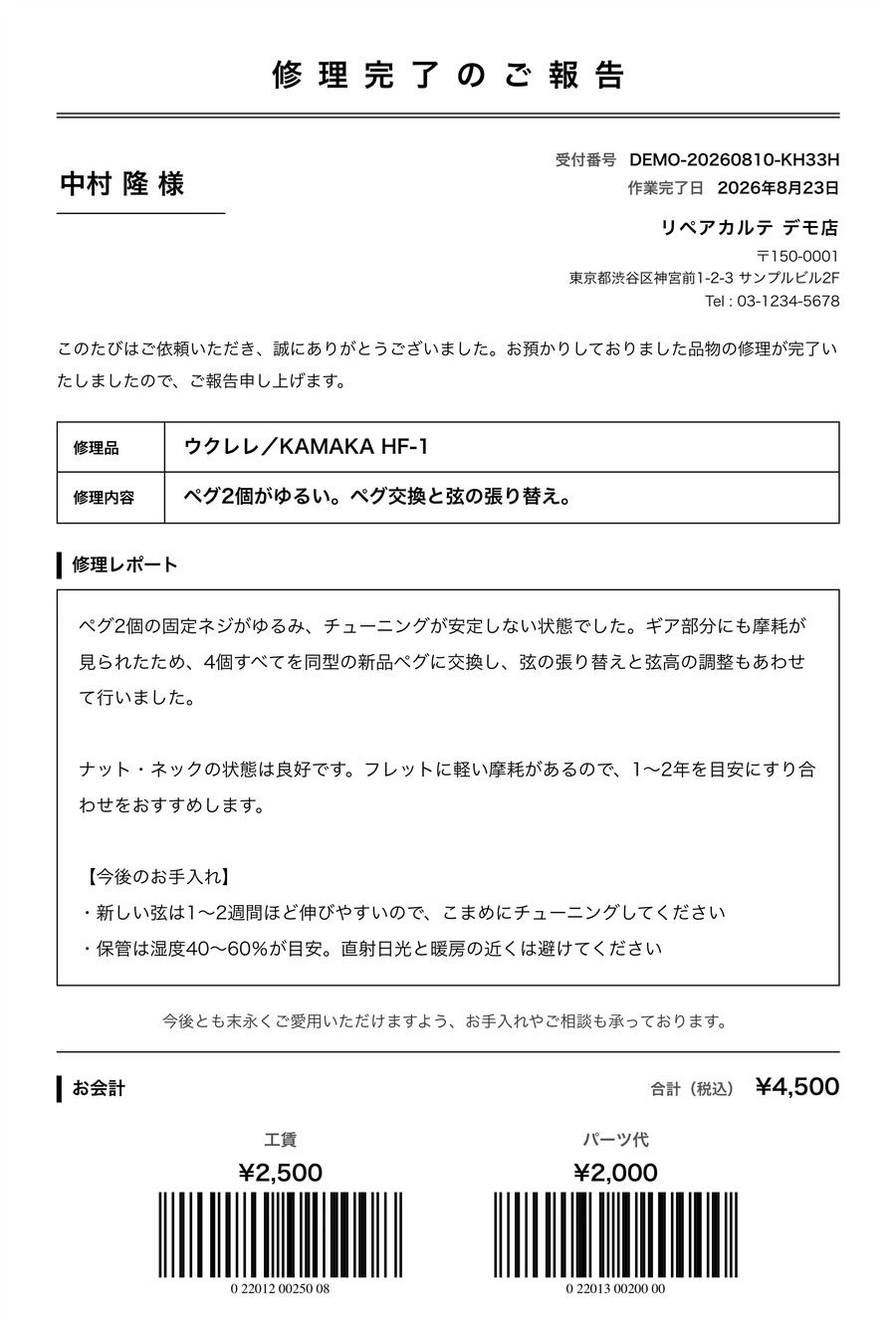
The confirmed estimate amount is converted into an EAN-13 barcode automatically.
Works with product codes on POS systems such as AirREGI. One scan enters the amount — zero keying errors.
Labor, outsourcing, parts and more can each be grouped onto a single receipt.
Also
Your shop's numbersat a glance
Daily, monthly, and yearly sales are totaled from your intake data, with breakdowns by staff and item type.
Learn more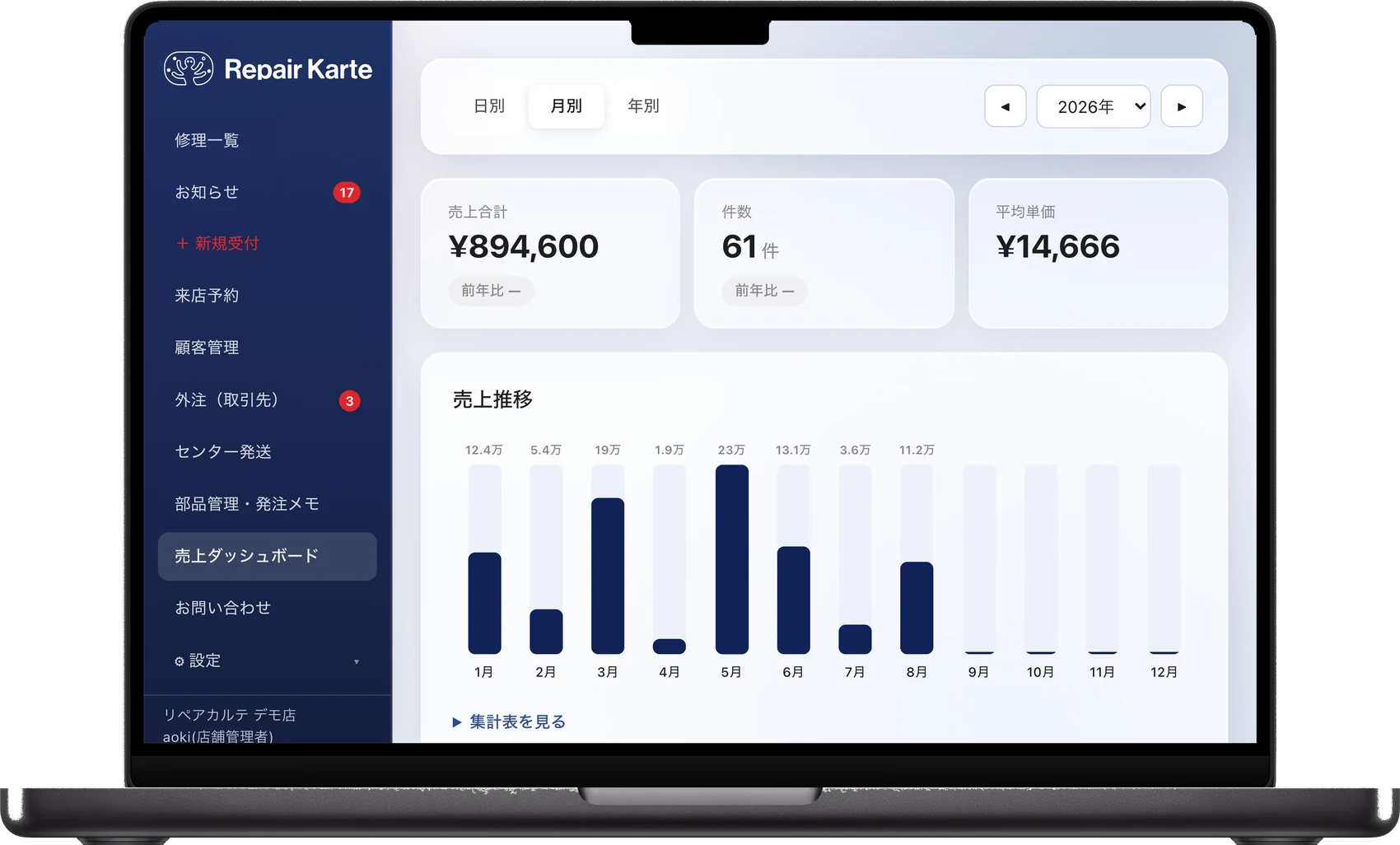
Completed repairs roll up into daily, monthly, and yearly sales automatically.
Charts and tables show which items are growing and how each staff member contributes.
One click exports a CSV, making bookkeeping and filing far easier.
Also
Good work turnsinto a good reputation
A few days after pickup, a Google review request reaches the customer over LINE automatically — never sent twice in a row.
Learn more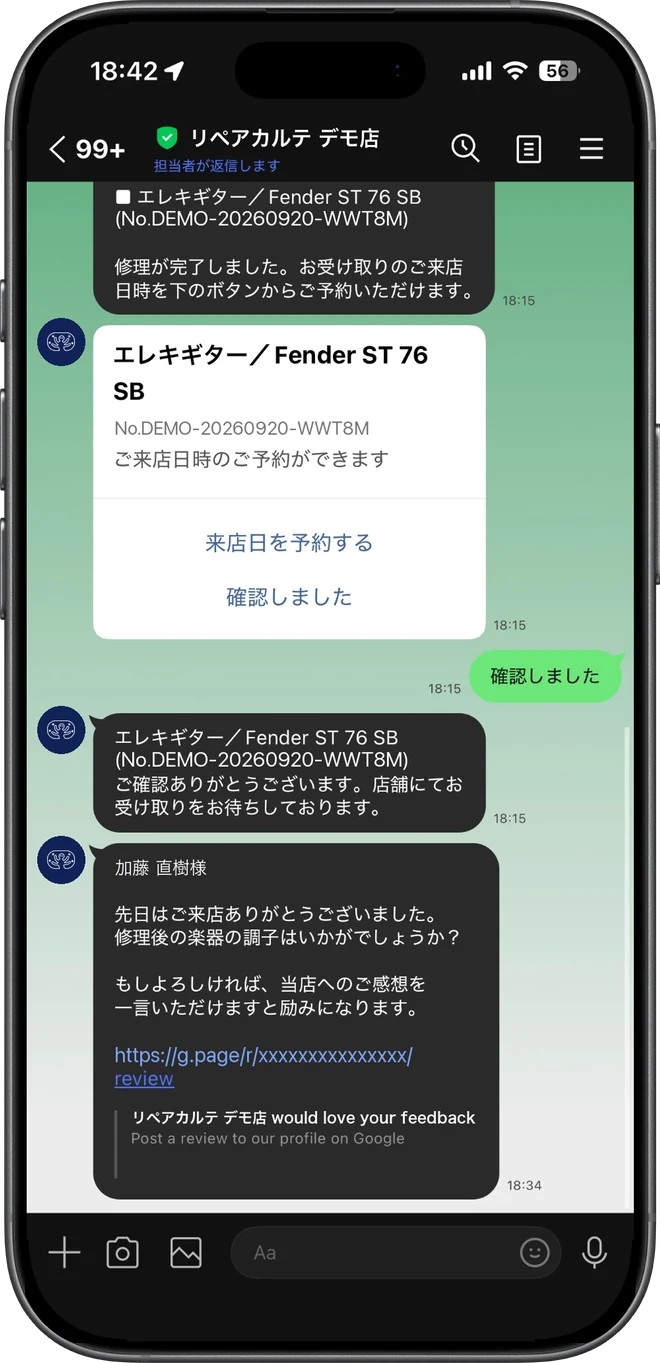
A set number of days after an item is handed back, the review request goes out on its own.
From the message they receive, customers go straight to the Google review page.
Customers who already received a request aren't sent another, so it never feels insistent.
Parts and staff,in the same place
Parts order notes and staff accounts: the work around intake stays inside Repair Karte too.
Track parts and order notes alongside the record (Standard and up).
Give each staff member an account: 1 on Free, 3 on Standard, unlimited on Pro.
Pick your industry to preload item types, then follow the on-screen guide.
Also
The Free plan needs no credit card and stays free. New accounts get every Pro feature for 30 days.

