One repair ticket per item: its condition, the work to be done, the price, and the due date, all on one record. Customers read your drop-off terms and sign on screen, and you print a claim tag with the ticket number on the spot. Take in several items at once, and graduate from paper slips and verbal promises.
Available on: All plans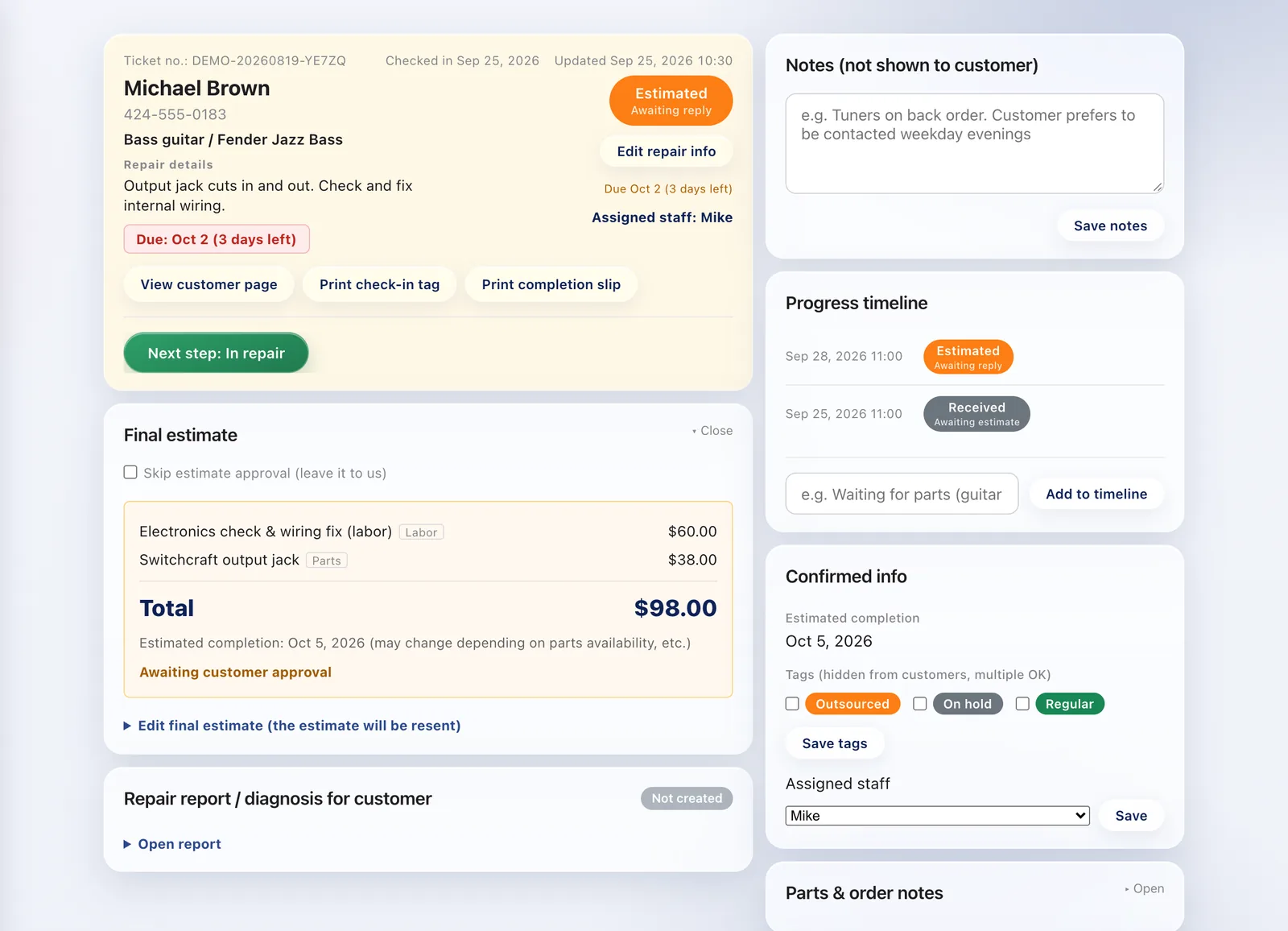
Customer, item, symptoms, estimate, due date, progress, and work notes — everything lives on a single record.
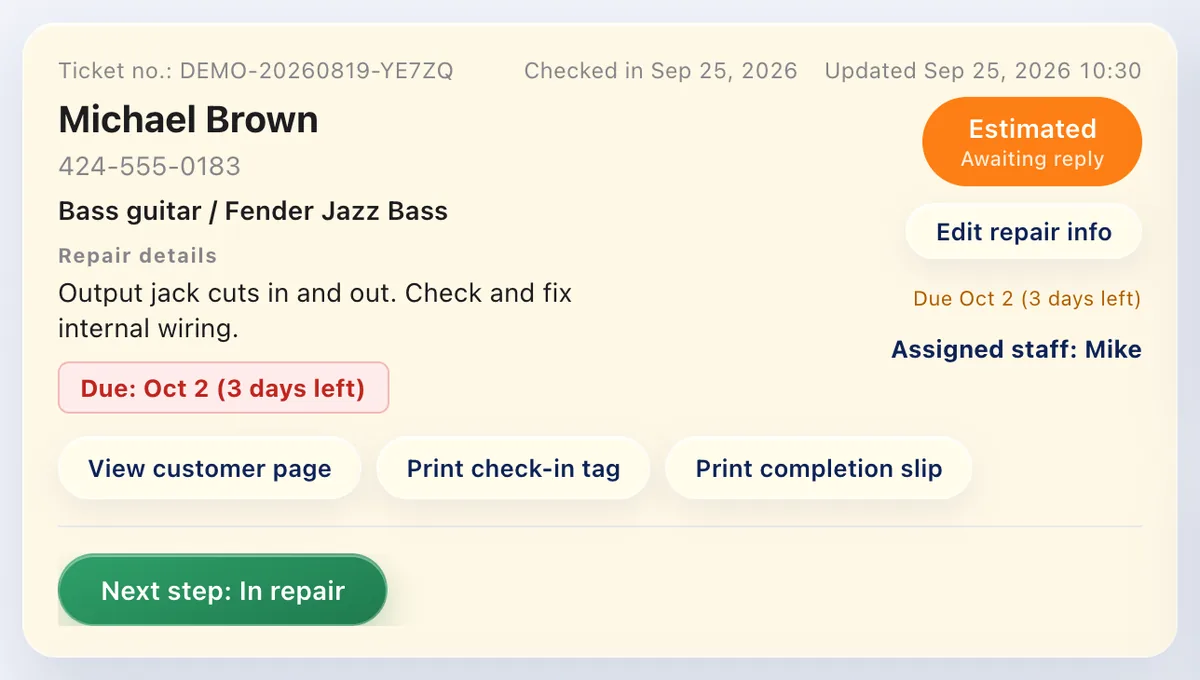
However many items arrive together, take them in at once and track each one individually.
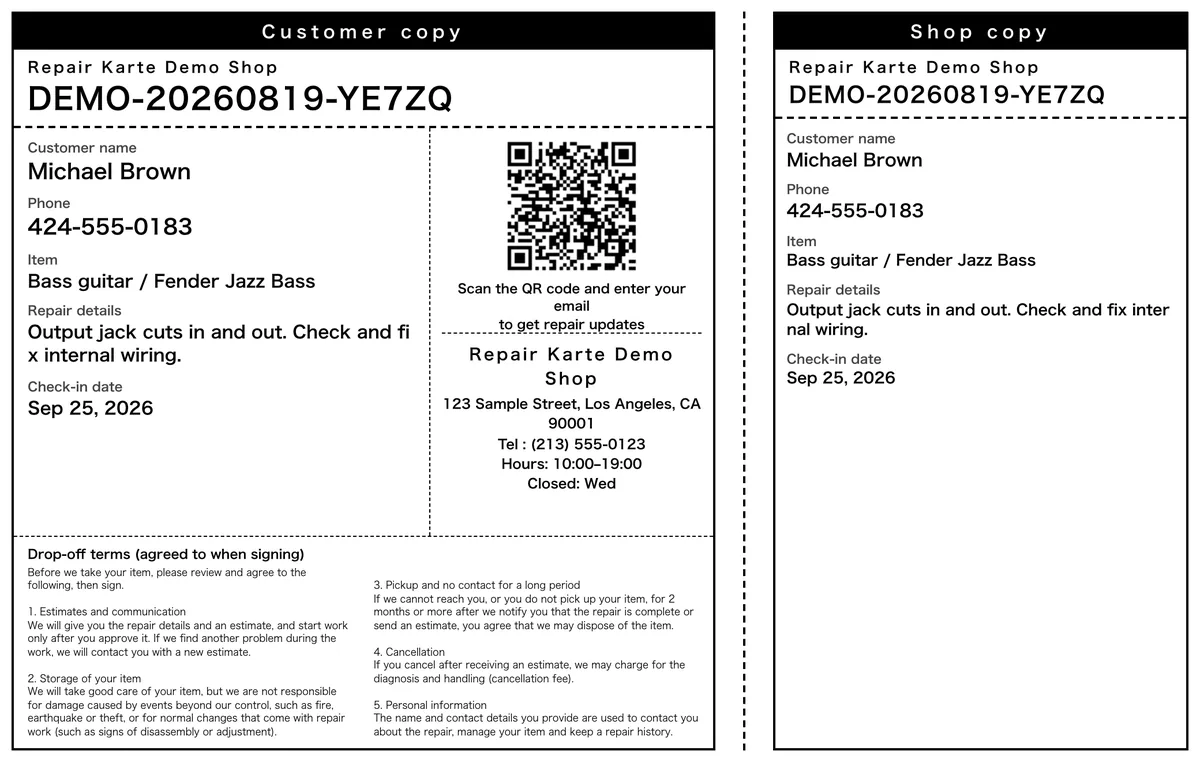
Print a claim tag (check-in tag) with the ticket number on the spot, with a customer copy and a shop copy on one sheet. Attach it to the item and mix-ups are gone.
At the end of check-in, the customer reads your drop-off terms, ticks "I agree", and signs on screen. The signature pad opens full screen, so it's easy to sign with a finger on an iPad. The signature stays on the repair ticket, so there's no paper consent form to file.
Yes, on every plan. The second check-in screen shows your drop-off terms and an "I agree" box, then the customer signs on screen. If you'd rather have them sign a paper slip, choose that option and finish check-in without a signature on screen.
Yes. Under Settings > Check-in & jobs > Check-in fields, add Text, Number, Choice or Date fields. Show each one only for the item types you choose, and make it required if you like. Fields set to "Show to customer" also appear on the customer copy and the completion slip.
Yes, with inspection checklists. Check-in inspections and pre-pickup checks are kept on the record along with who did them. Set a list to "Don't allow pickup until done" and a ticket can't be marked picked up while items are unticked. Checklists are off by default, so it's your choice.
Yes. Add a shelf location to the record and it shows in the repair list, where you can also search by location. When a repaired item comes back, use "Check in as a redo" on the original record, choose whether it's under warranty, and the two records link to each other.
Yes. At check-in, photograph the item or your finished paper note and draw arrows or measurements on the photo with your finger. With a photo attached, the repair details text can stay empty, so you keep your handwriting while customer updates and sales records live on the record. Check-in photos are for your shop only and are never shown to customers (Pro plan).
Yes, on every plan. Once the final estimate is saved, print a one-page estimate with the amount, completion date, line items, and the same QR code as the customer copy. Turn on invoices in Settings to issue one for the lines you choose; once it's paid, it's marked PAID and works as the receipt. Everything prints from a PDF, on Letter paper in the US and Canada and A4 elsewhere.
The Free plan covers up to 100 repairs a month for 1 staff login, with no credit card, and stays free. Automatic email updates to customers start on Standard. Every new account gets all Pro features free for 30 days.

