When a repair is done, a "Pay by card" button appears on the customer's page. Payments go straight to your own Stripe account, and paid repairs are marked in your list. Record deposits and refund any amount from the record too. Less to collect at pickup, and nothing to reconcile by hand.
Available on: Standard / Pro (deposit and refund records on all plans)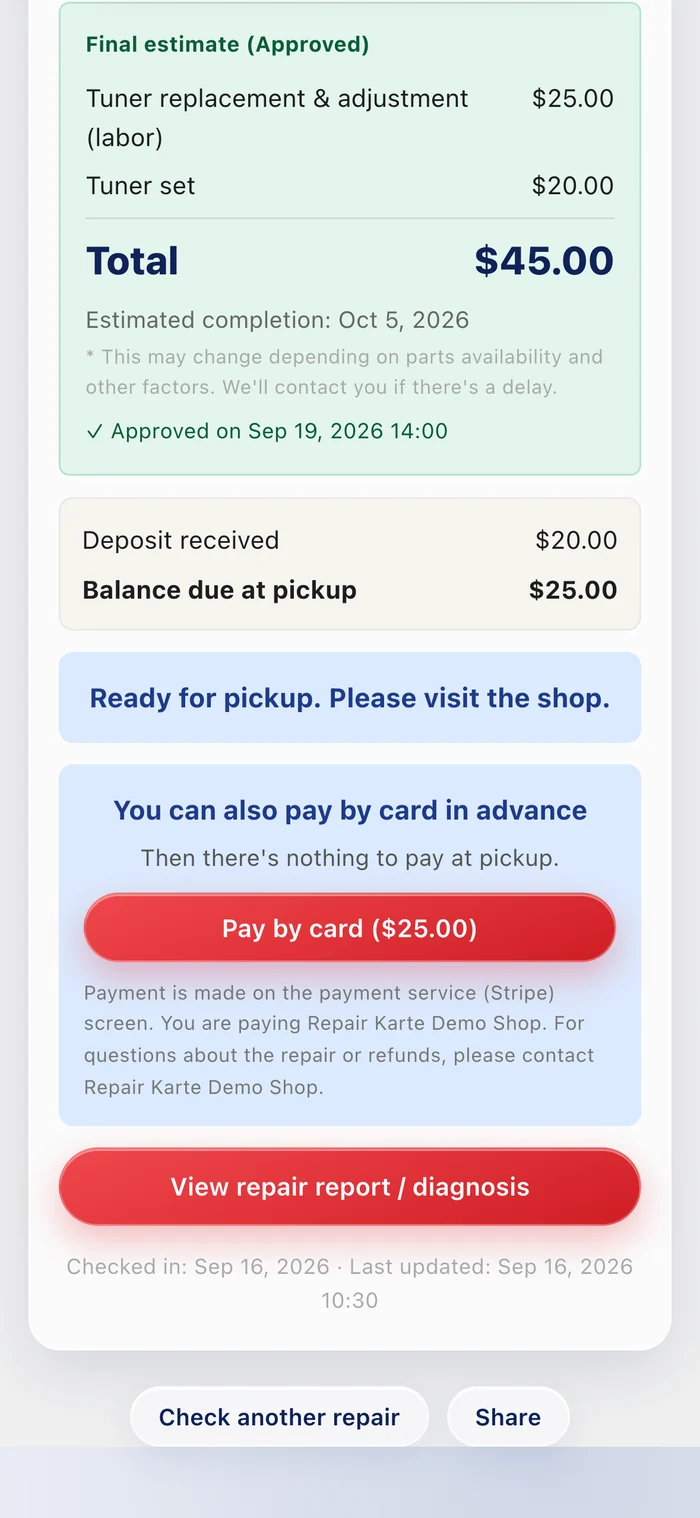
A "Pay by card" button appears on the customer page linked from the completion notice, for in-store and mail-in repairs alike. Payments go straight to your shop's own Stripe account in your local currency (USD, CAD, AUD, GBP, SGD, or HKD). Stripe's standard processing fee for your country applies.
You get a notification and the repair list shows "Paid by card". A repair that's "Work done" moves to "Notified" automatically, so nobody is charged twice at pickup.

Record a deposit at check-in or on the record, and the balance due appears on the record, the customer page, and the slips; card payment charges only the balance. Refund part or all of a repair with "Refund", and the sales ledger gets a negative row on the day of the refund.
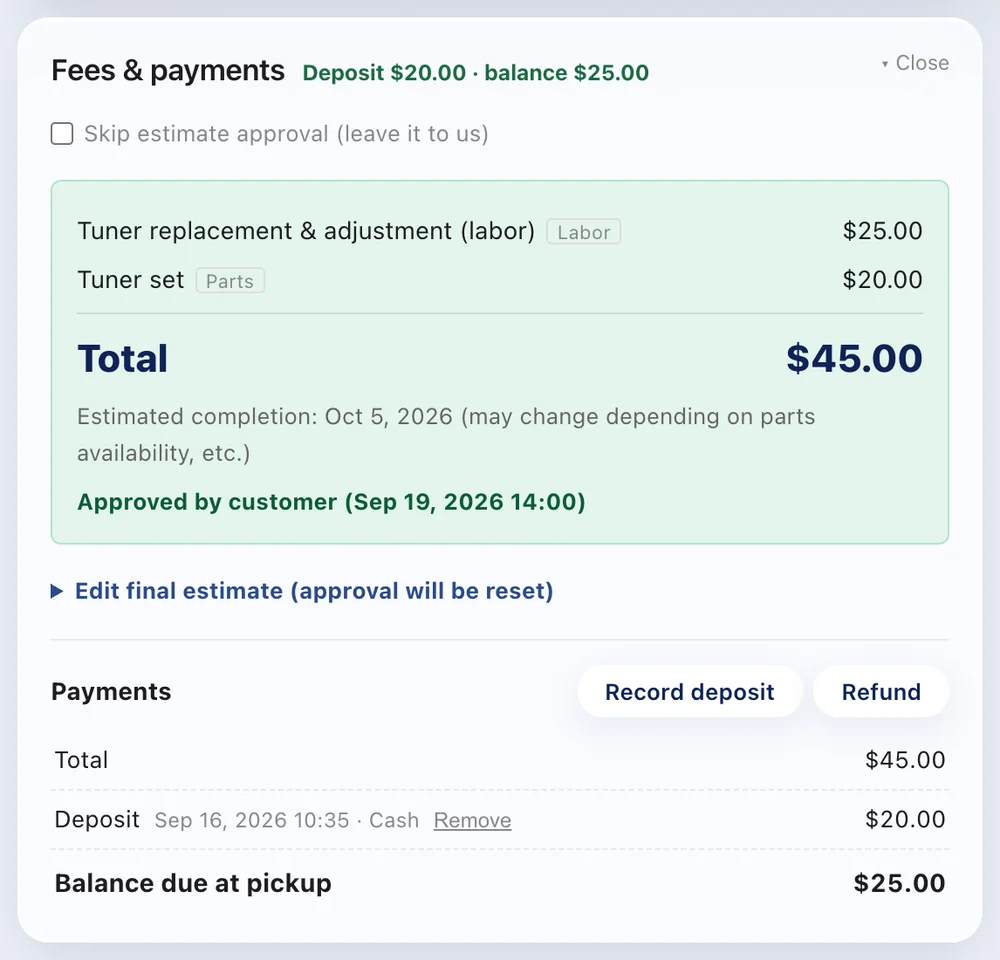
Stripe's standard processing fee for your country applies. Payments go straight to your shop's own Stripe account, in your shop's name.
On the Standard or Pro plan, go to Settings > Payments & printing > Online payment (card) and register your shop with Stripe. It takes about 10 minutes, and you'll need an ID document and the bank account you want to be paid into.
Shops in Japan, the United States, Canada, Australia, the United Kingdom, Singapore, and Hong Kong. Payments are made in your shop's local currency.
Yes. Recording deposits, and recording money you gave back in cash or another way, work on every plan (refunds can only be made from the shop owner's account). Deposits aren't counted as sales; the full sale is recorded on the day of pickup.
The Free plan needs no credit card. Start taking in repairs today.
Try it free
