Customers ship their items to you, and you fix them and send them back, all inside Repair Karte. They enter their address, item, and payment method from your request link, and the package becomes a record when it arrives. Payment instructions and the tracking number go out without you writing each message.
Available on: Standard / Pro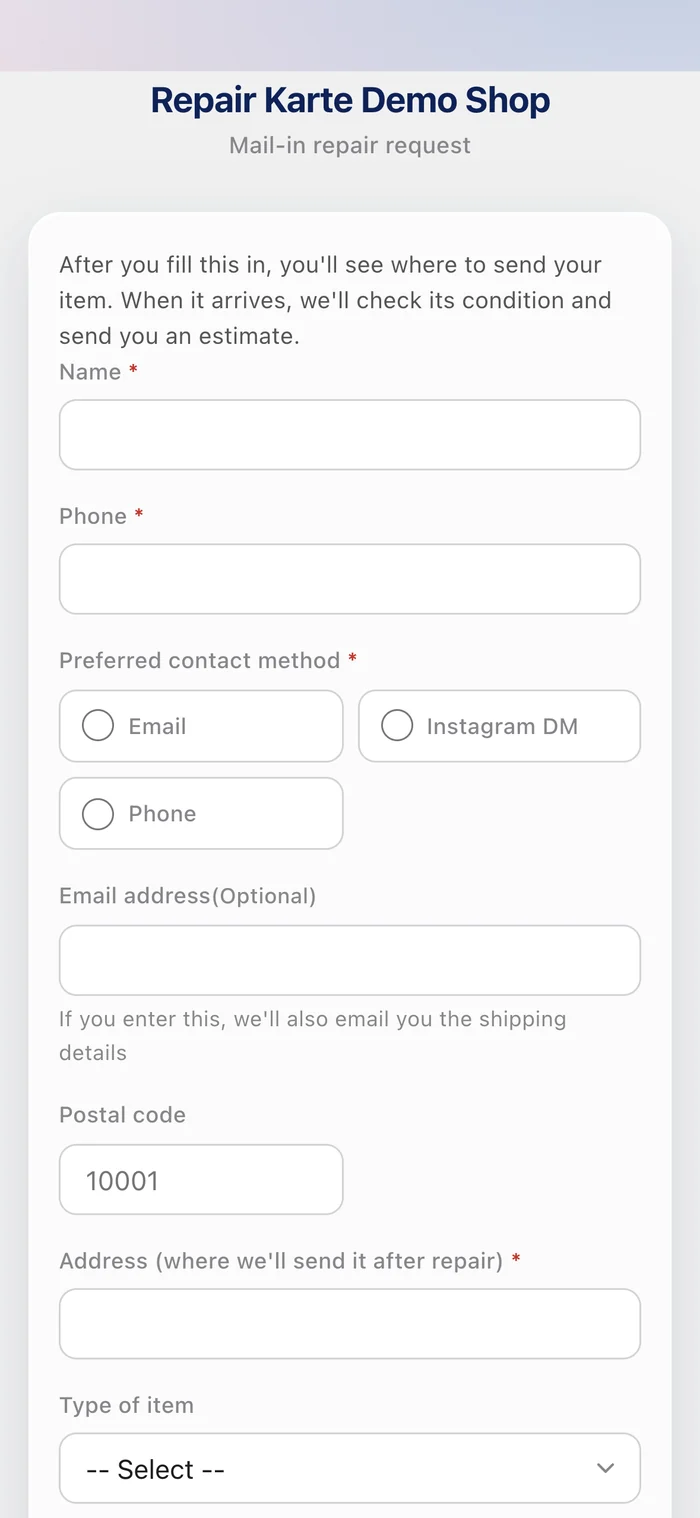
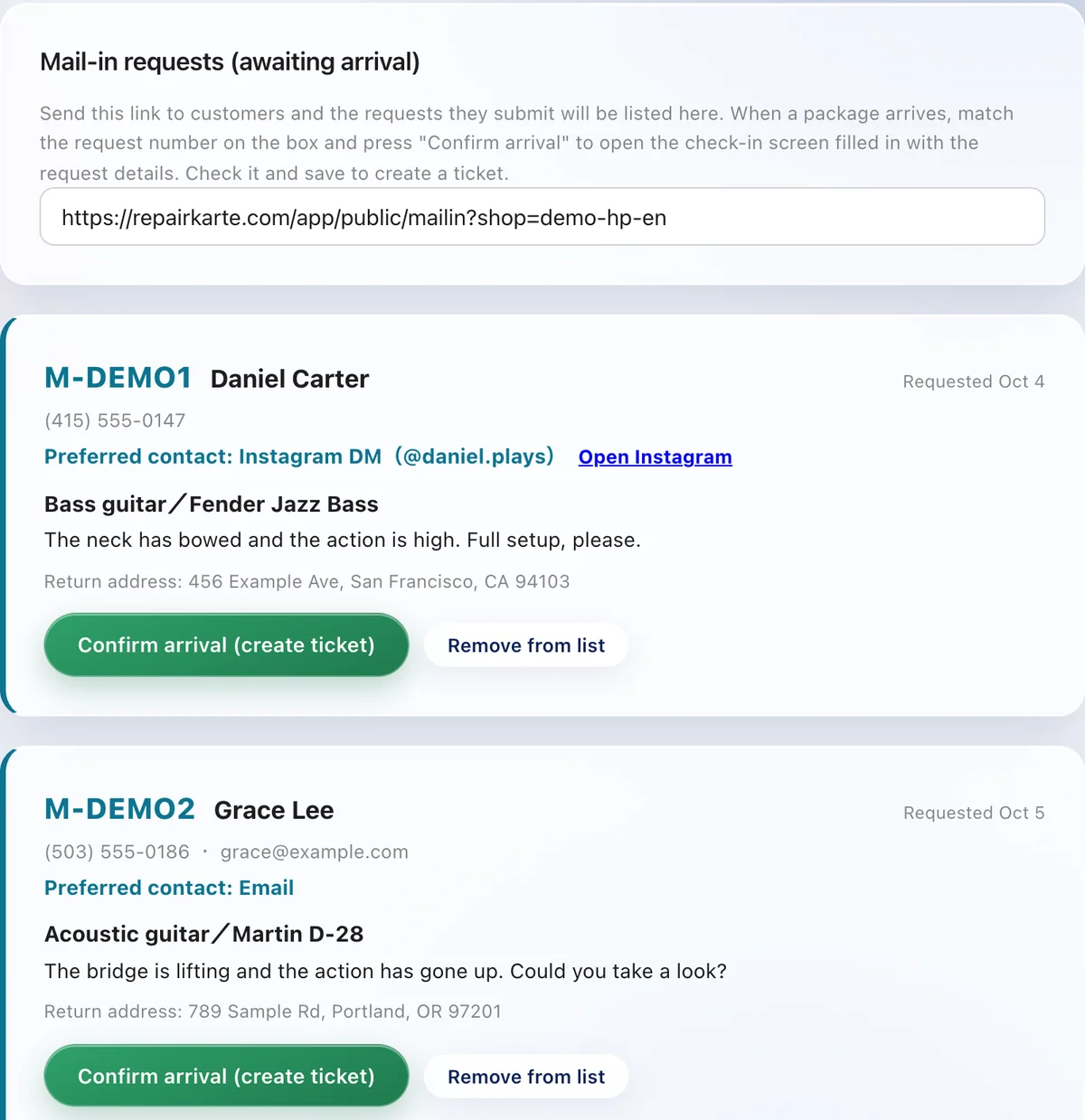
Your shop gets one fixed link. Put it in your Instagram profile or email templates, and customers use it to enter their address, item, and payment method.
Requests are listed with a request number. When a package arrives, match the number on the box and press "Confirm arrival": the request becomes a record and the customer is told it has arrived.
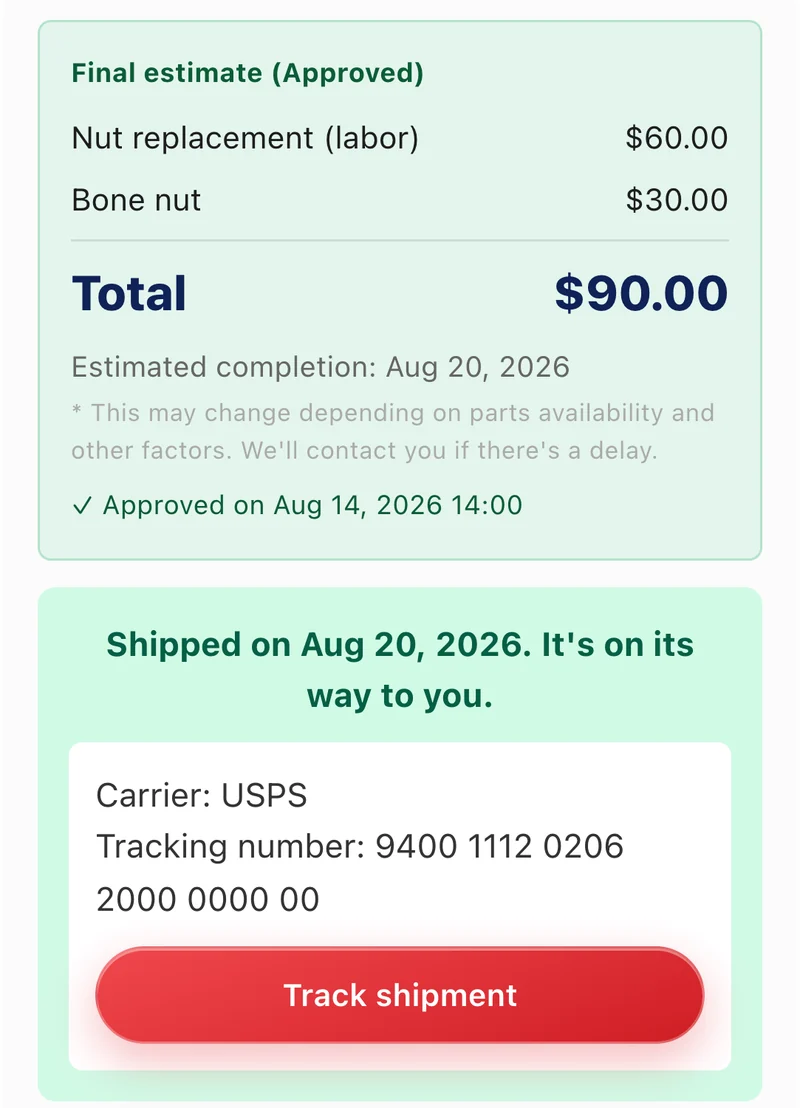
The completion notice tells the customer how to pay. Once you've confirmed payment, enter the carrier and tracking number: the customer gets a shipping notice and can track the package from their page.
There's nothing to build. Turn on Settings > Check-in & jobs > Mail-in repair, save your shipping address and payment methods, and your shop gets one fixed request link. Put it in your Instagram profile or email templates.
Customers choose from the methods you offer: bank transfer (Zelle, Interac e-Transfer and so on), or online payment, which is card payment on the customer page if you've registered with Stripe, or a payment link you paste. Cash on delivery is available only for shops in Japan.
Add a line such as "Return shipping" to the estimate. It's included in the total the customer is asked to pay.
Shops in Japan, Taiwan, and English-speaking countries such as the United States, Canada, Australia, the United Kingdom, Singapore, and Hong Kong. Postal codes follow your country's format, and you pick the carrier (USPS, UPS, FedEx, Canada Post, Royal Mail and more) when you ship.
The Free plan needs no credit card. Start taking in repairs today.
Try it free
