For work you do at the customer's place, such as piano tuning or call-out repairs. When a customer calls, you only schedule the visit. When you arrive, you check in from that visit and get the estimate and signature on the spot. No more copying addresses, retyping them into a map app, writing estimates and consent forms by hand, or entering it all again back at the shop.
Available on: All plans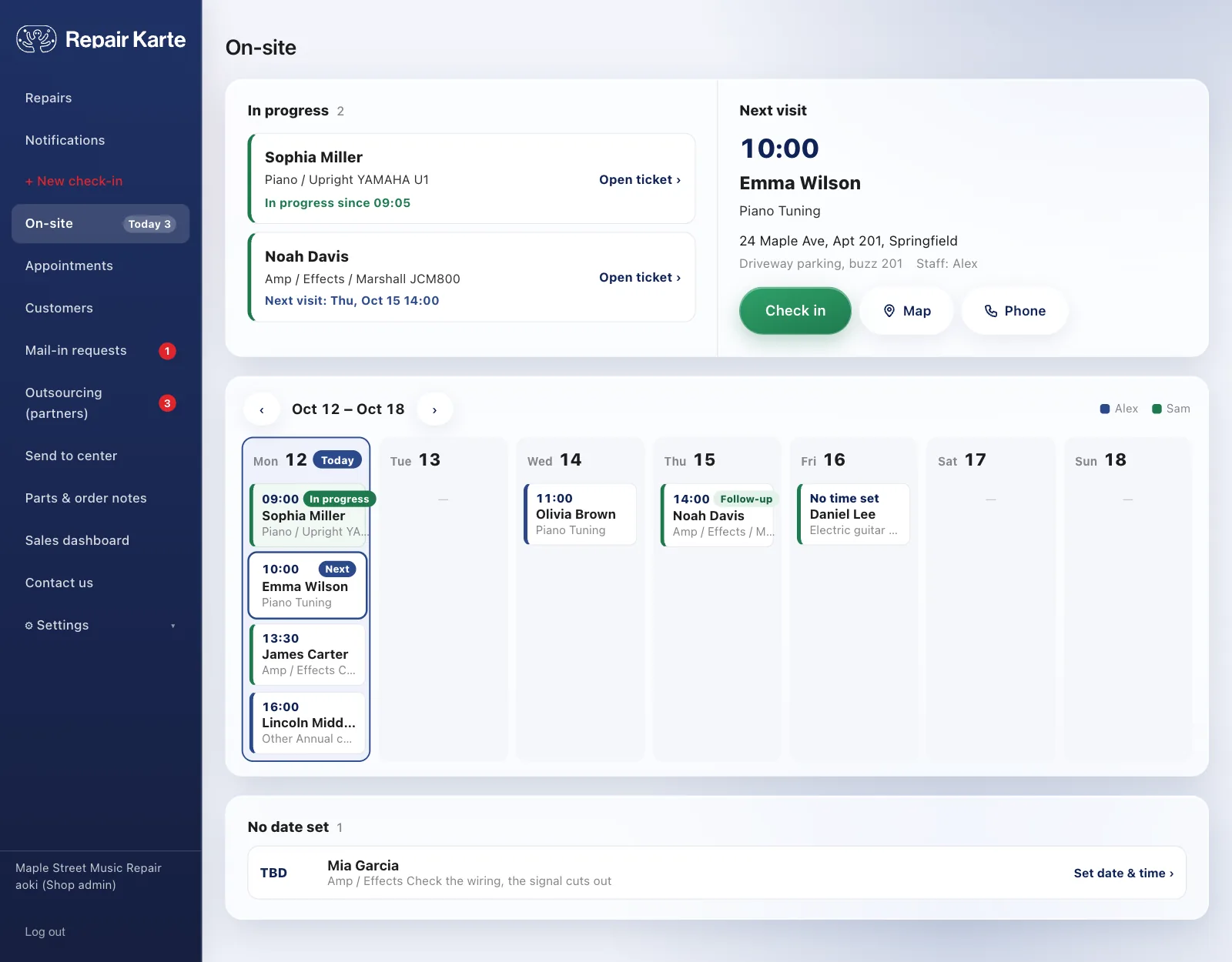
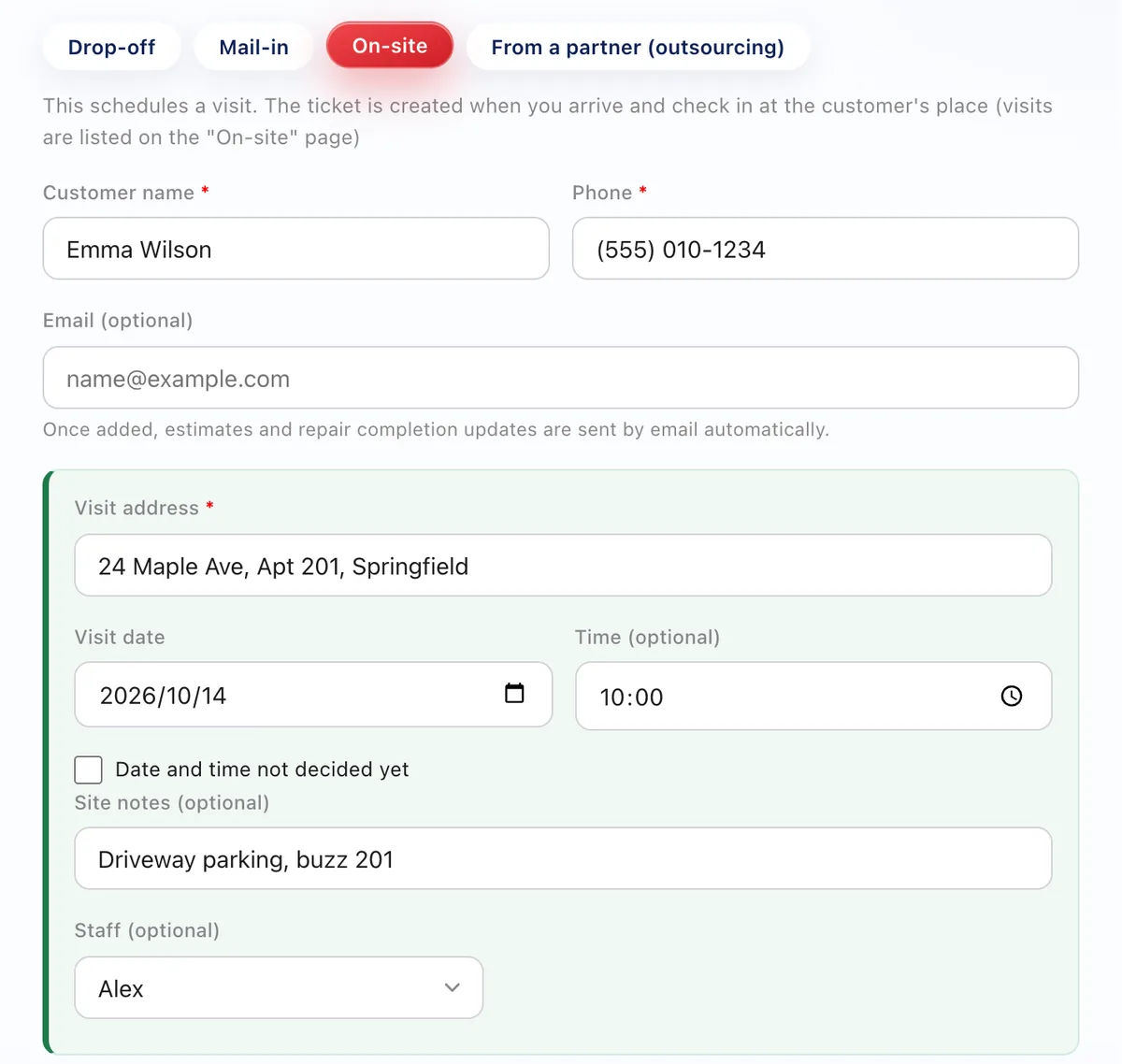
Choose "On-site" at the top of New check-in and enter the address, date, time and site notes. No ticket is created yet, so nothing is left behind if the visit is cancelled. Visits without a date can be added too.
Visits are listed in a weekly schedule under "On-site" in the side menu. Repairs in progress and the next visit are shown at the top, and "Map" and "Phone" open your map app and dialer directly. With two or more staff, each person gets their own color.
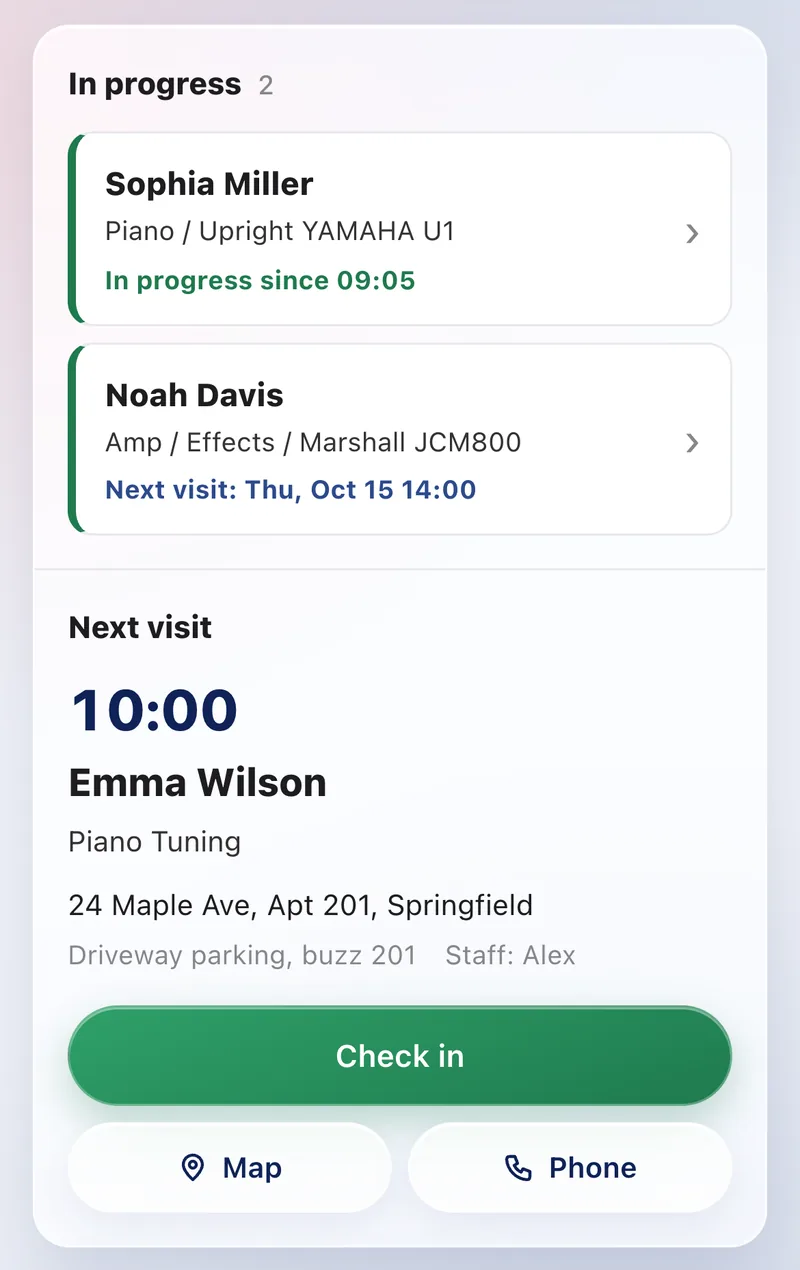
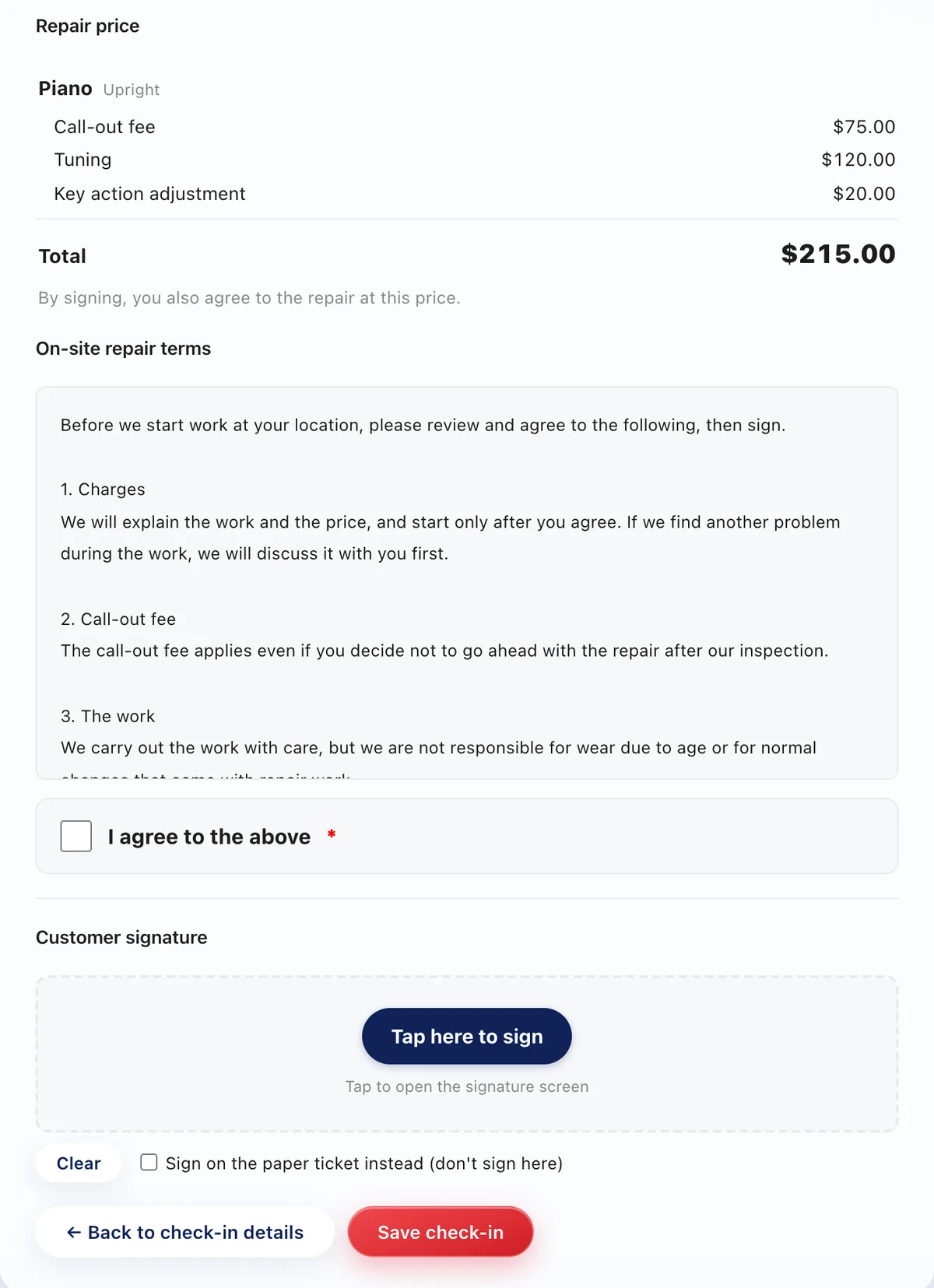
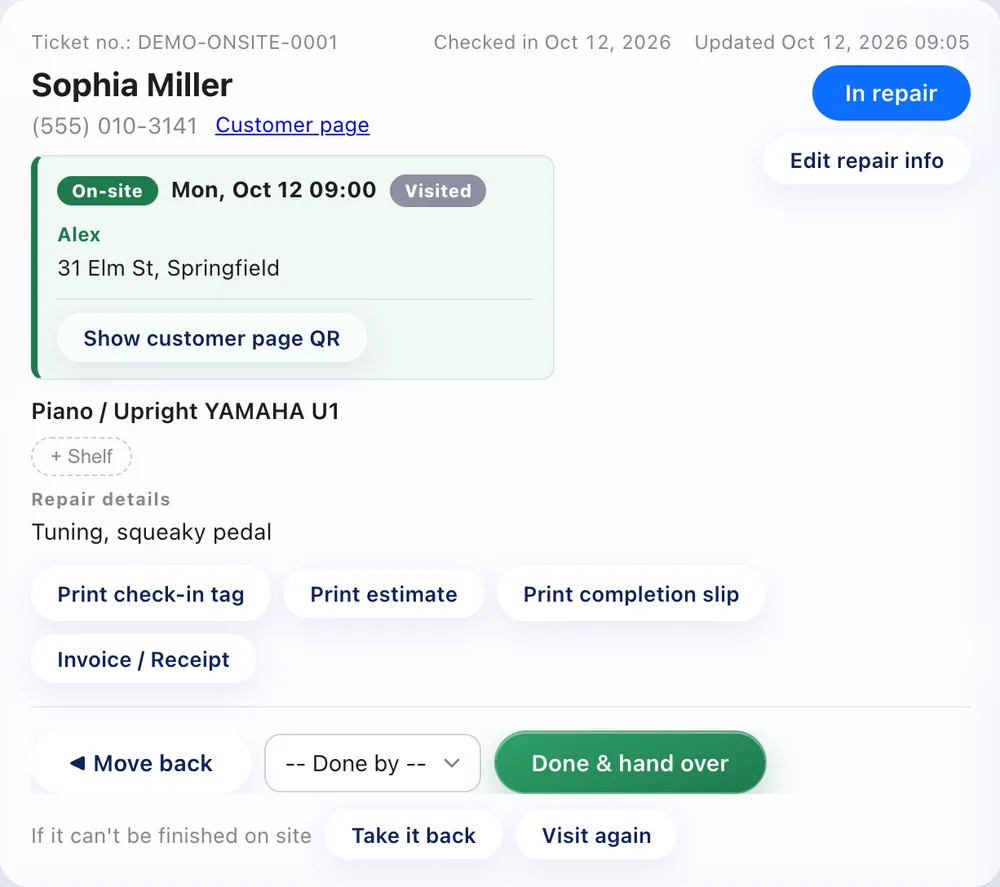
Press "Check in" and the check-in screen opens with what you were told and your call-out fee already on the estimate. Agree on the work and price, have the customer read your on-site terms and sign, and the ticket starts as "In repair".
When you're finished, "Done & hand over" marks the repair done and picked up in one step. If it can't be finished on site, "Take it back" switches it to a regular in-shop repair, and "Visit again" adds the next visit to the same ticket.
All plans, including Free. It's off to start with: in Settings > Check-in & jobs > On-site repair, tick "Accept on-site repairs" and save. An "On-site" page then appears in the side menu.
Enter your call-out fee in the On-site repair settings, and it's added as a line on the on-site estimate. You can change the amount on the spot.
Yes. They start with standard terms covering charges, the call-out fee, the work, taking items back to the shop, and personal information, and you can rewrite them in the On-site repair settings. Customers read them on screen before signing.
Press "Take it back" on the ticket to switch to a regular in-shop repair (done, customer notified, picked up). To go back another day, use "Visit again" and set the next date: it shows on the On-site page marked "Follow-up".
The Free plan covers up to 100 repairs a month for 1 staff login, with no credit card, and stays free. Automatic email updates to customers start on Standard. Every new account gets all Pro features free for 30 days.

