

Camera and lens repair tracking, at the counter and by mailCLAs, shutter repairs, fungus cleaning and light seals. Record each body and lens by serial number, send estimates customers approve online, and take repairs by mail from anywhere in the country.
Free for up to 100 repairs a month, with no time limit · No credit card · All Pro features free for 14 days
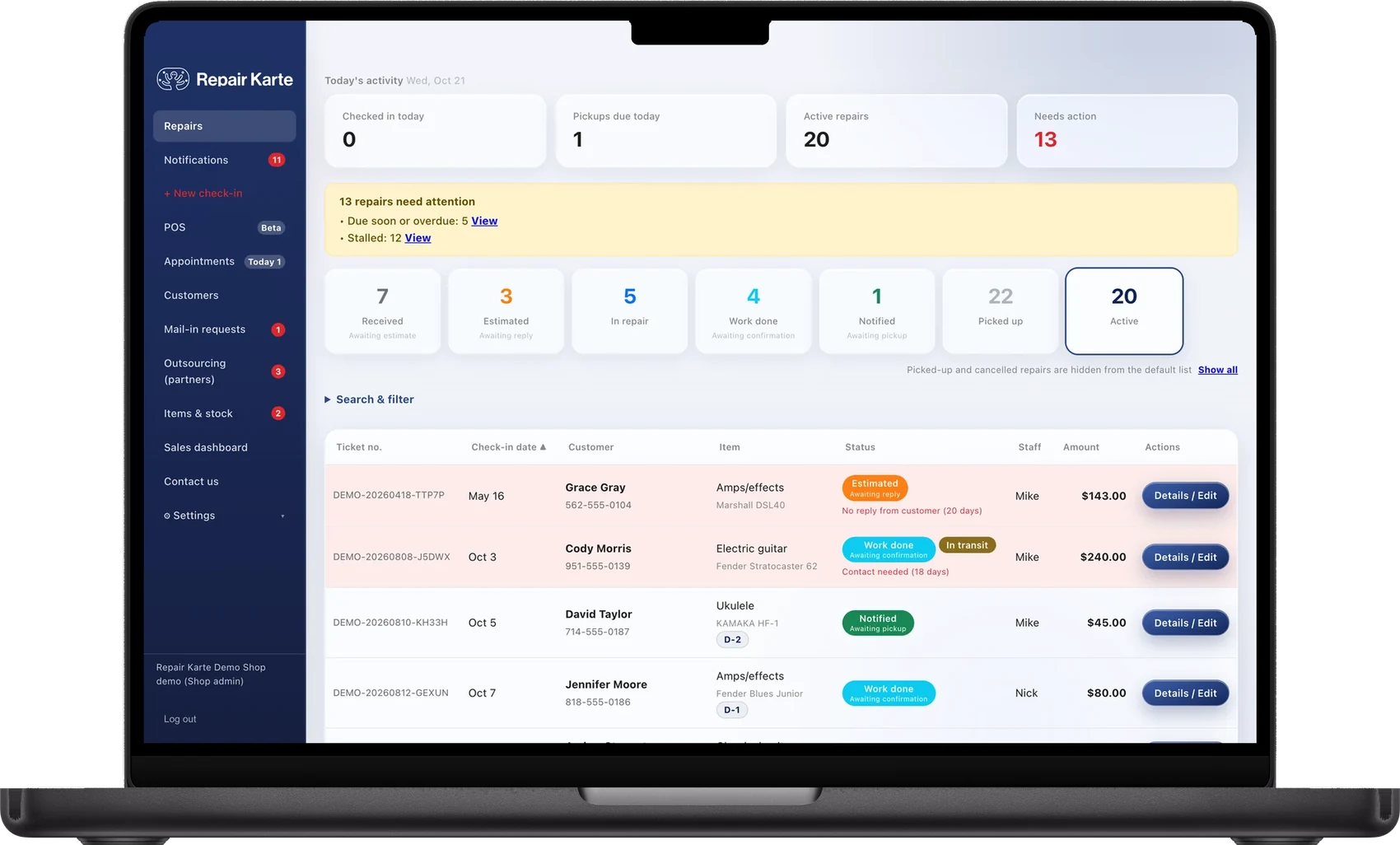
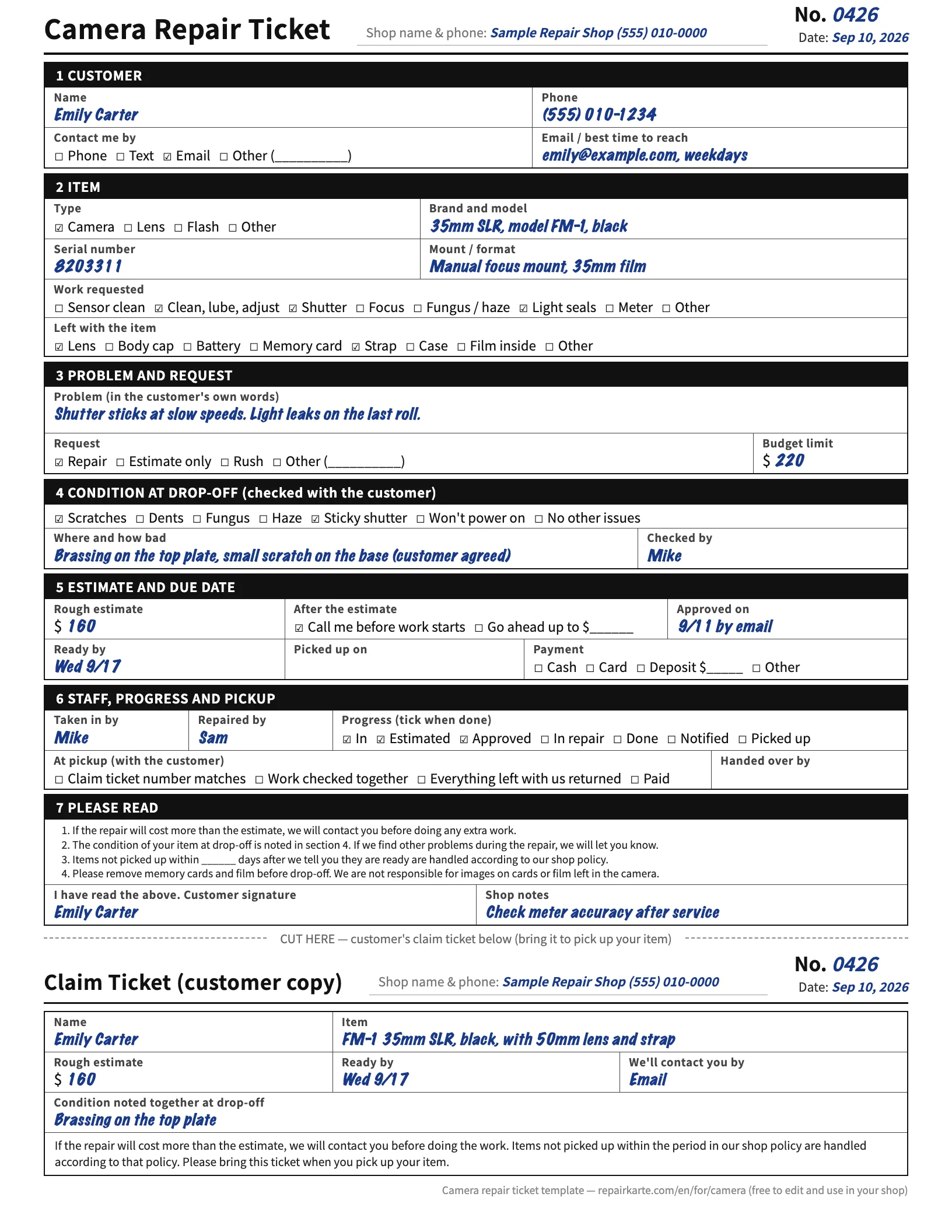
The camera repair ticket, with a tear-off claim ticket
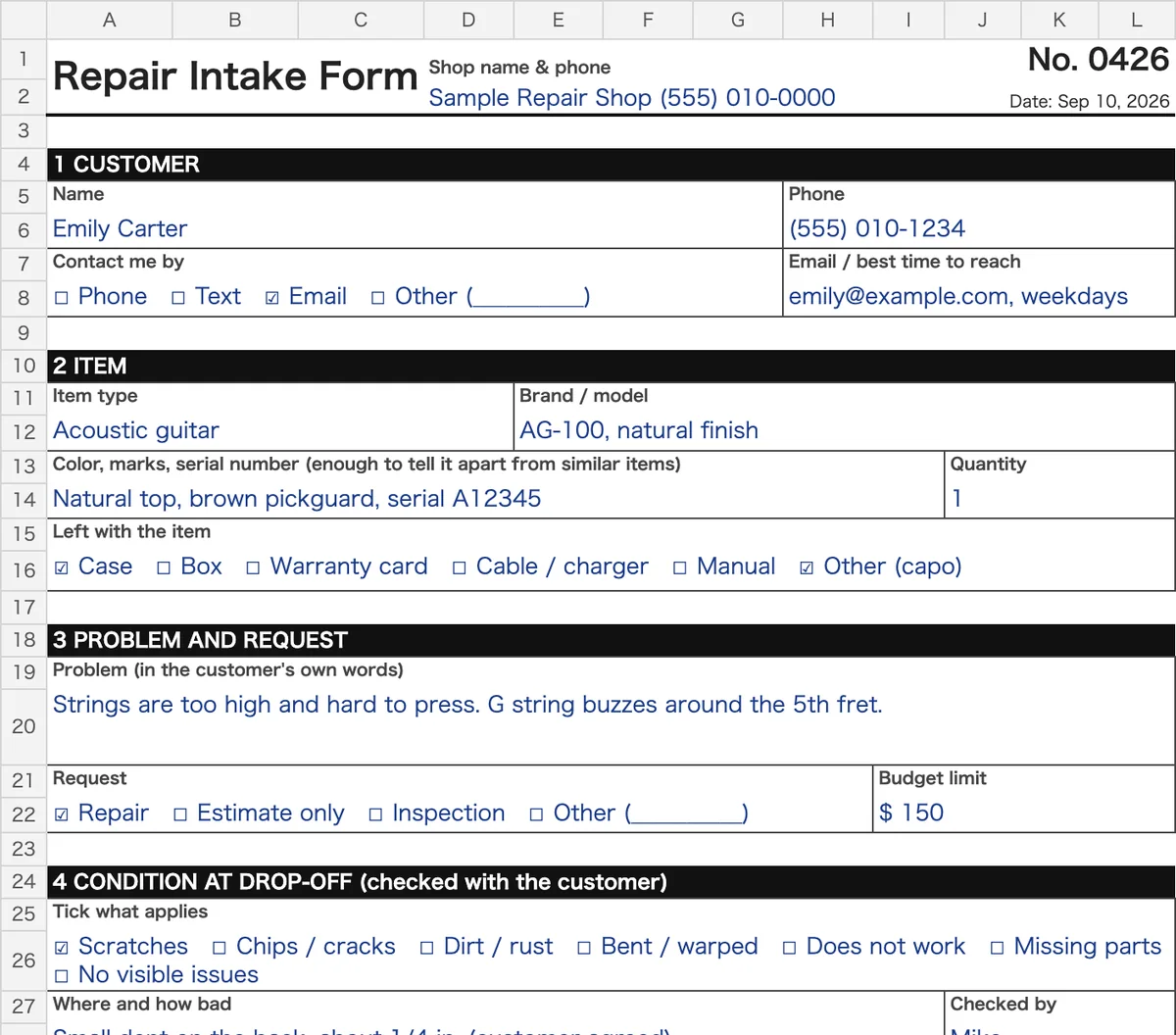
The general repair work order, to change the name or fields
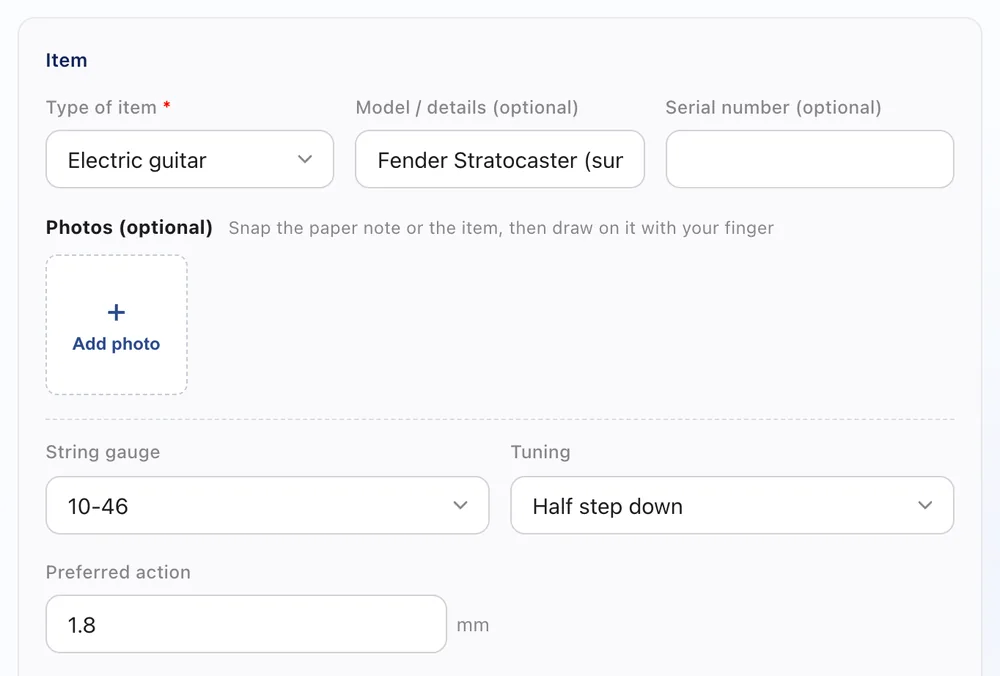
For shops tired of copying and searching
The PDF and Excel files are free, with no sign-up or email (US Letter and A4, with a tear-off claim ticket).
On this page
- A free camera repair ticket
- How one camera repair flows
- What it costs, and what shops say
Contents
01Summary
Repair Karte is camera repair shop management software: each body and lens gets its own repair ticket with its serial number, the work, the estimate the customer approves online, and the status. You can start on the Free plan at $0 with no time limit, for up to 100 repairs a month. Every body and lens keeps a history by serial number on every plan, and on Standard and Pro you can take repairs by mail and customers get an email when the estimate is ready and when the repair is done.
02Free camera repair ticket template (PDF)
A one-page camera repair ticket with a tear-off claim ticket for the customer. It has the fields a camera repair counter needs: the body or lens and its serial number, the mount and format, the work requested, what was left with it, and the condition you both saw at drop-off. Free to print, edit and use in your shop. No sign-up and no email address.
What's on the camera repair ticket
Type (camera, lens, flash), brand and model, serial number, mount and format
Work requested: sensor clean, clean-lube-adjust, shutter, focus, fungus or haze, light seals, meter
Left with the item: lens, body cap, battery, memory card, strap, case, film inside
Condition at drop-off: scratches, dents, fungus, haze, sticky shutter, won't power on
Rough estimate, ready date, approval, payment, and a note about memory cards and film
Tear-off claim ticket with the same number
For other kinds of items, or to edit the form in Excel, use the general repair ticket and work order template. To quote the job in writing, there is a repair estimate template. All templates are on the free templates page.
Once the ticket is filled in: how to number and tag items so they can be found on the shelf, a repair tracking spreadsheet to list every open job, and what to say when you tell the customer it's ready.
03Sound familiar?
A repair waits on a donor part for weeks and the customer keeps calling
Lenses and bodies from one customer arrive together and get separated
Customers far away can't easily send you their camera
04How one camera repair flows
An example of a camera repair in Repair Karte (the customer and item are made up). The plan for each step is written under it; see pricing.
- Step 1 · Check-in
Check in the film camera for “shutter sticks at slow speeds”
Pick the item type and the usual work in a tap, write the symptom, and print a claim tag (PDF on Letter or A4). The customer signs on screen.
Plan: All plans (Free: up to 100 repairs a month) · QR code on the claim tag: Standard and up
- Step 2 · Estimate
Send a $190.00 estimate for “cla and light seal replacement”
The customer approves it on the repair's status page. On Standard and Pro the estimate is emailed automatically, and a reminder goes out if they haven't answered (after 5 days to start).
Plan: Approval on the status page: all plans · Automatic email and reminders: Standard and up
- Step 3 · In repair
Add “In repair (shutter cleaning)” to the timeline
The customer can check the status on the repair's status page anytime (from the QR code on their claim tag, or by looking up their phone number). When the parts arrive, move the status on.
Plan: Status page: all plans · QR code on the claim tag: Standard and up
- Step 4 · Ready
Mark it complete, and the customer is told
A ready-for-pickup email goes out with a link to the status page, where the customer can book a pickup time and pay by card before coming in.
Plan: Email: Standard and up · Card payment (Stripe): Standard and up · Pickup booking: Pro
- Step 5 · Pickup
Hand it over and check out
Check out on the ticket: the balance is already there (deposits are taken off), add anything sold with the repair, and record how it was paid. The repair stays on Emily's history, and on the item's history by serial number.
Plan: All plans
05The repair record, and the email your customer gets
Left: the record your shop keeps. Right: the estimate email the customer receives (Standard and up). Example values.
- Customer
- Emily Carter
- Item
- Film camera / 35mm rangefinder, serial 7712044
- Symptom
- Shutter sticks at slow speeds
- Estimate
- CLA and light seal replacement $190.00
Note to customer: Includes new light seals and a shutter speed test. - Shop notes
- Came in with a 50mm lens (separate ticket). Prefers email.
- Timeline
- In repair (shutter cleaning)
- Repair report
- The slow speeds stuck because of old lubricant on the shutter. We cleaned, lubricated and adjusted the shutter and replaced the light seals. All speeds tested within range.
[Sample Camera Repair] Your estimate (No.0124)
[Sample Camera Repair] Hello Emily Carter,
■ Film camera / 35mm rangefinder, serial 7712044 (No.0124)
Your estimate is ready.
・CLA and light seal replacement $190.00
Total: $190.00
Please review the details and approve or cancel on the page below.
(link to the repair's status page)
The status page has the “Approve this estimate” button. Customers without email can open it from the QR code on their claim tag, or by looking up their phone number.
06Made for camera repairs
Put a request link on your website. You see each request, check the camera in when it arrives, tell the customer how to pay, and send the return tracking number (Standard and up).
Check in a body and lenses together; each gets its own record, and the customer gets one message when all are done.
Write what you found and what you did. The report shows on the customer's status page, so pickup takes less explaining.
Every feature and plan: all features · what it does
07Ready to use from day one
Choose your trade and your country when you set up, and these item types, common jobs, currency and time zone are ready. Add or remove items and jobs any time.
Item types
Common jobs (one tap at check-in)
Local currency and time zone
08What shops say
- United States
Long Beach Optix
Camera repair & sales
Repair Karte has been changing the game for our business! … Our highest recommendations!
Review on Trustpilot · Nov 2026
- Greece
Dimitrios
Repair technician, 20 years
I have used many platforms the 20years i work as a technician and i must say that yours is fast and has everything i need to use.
Review on Trustpilot · Nov 2026
- Ireland
TJ
Overall, my experience has been very positive everything looks neat, clean, and well designed.
Review on Trustpilot · Nov 2026
- Canada
Xclusive Shoe Spa
Shoe care & repair
Repair Karte is easy and fast
Review on Trustpilot · Nov 2026
09Questions from camera repair shops
Can I take camera repairs by mail?
Yes, on Standard and Pro: a request link, arrival check-in, payment instructions and a tracking number for the return shipment.
Can I track each lens and body by serial number?
Yes. Turn on serial numbers and each item has its own history, in addition to the customer's history.
Can customers pay before I ship the camera back?
Yes. On Standard and Pro they can pay by card through your own Stripe account (US, Canada, Australia, UK, Singapore and Hong Kong), or you record payment by another method.
How much does it cost for a camera shop?
Free is $0 with no time limit: up to 100 repairs a month and 1 login. Standard is $30 a month for up to 3 logins and adds automatic email updates, mail-in repairs and card payments; Pro is $60 a month with unlimited logins. Prices are per shop, and every new account gets all Pro features free for 14 days with no credit card.
Does it work in my country?
Repair Karte works in English, Japanese, Traditional Chinese, Greek and Spanish. Shops in the United States, Canada, the United Kingdom, Australia, Singapore, Hong Kong, Jordan, the Philippines, Greece, Ireland, the Maldives, Spain, Mexico, Japan and Taiwan work in their local currency and time zone, and shops in any other country work in US dollars and choose their time zone from major cities worldwide. In the United States, Canada and other countries with local sales tax, you set your own rates, up to two (for example GST and PST). The status page and emails your customers get are in your shop's language. Repair shops in Canada, Mexico, the United Kingdom, the United States, Ireland, Greece, North Macedonia, Jordan, Bangladesh, Indonesia, the Philippines, Australia, the Maldives, Nepal, Portugal and Japan have signed up (as of November 2026).
Can I bring over my existing records?
Yes, free on every plan. Send us an Excel or CSV ledger, an export from RepairDesk or RepairShopr, or photos of your paper tickets, and our team imports them for you; customers are not notified. Or simply start with your next drop-off.