

Repair Tracking Spreadsheet: Free Excel Repair Log Template, and When a Spreadsheet Stops Being Enough

One row per repair
Status picked from a list, rows colored by status, days in shop worked out for you, and overdue dates in red. Prints on Letter in landscape.
Free, no sign-up or email
Download Excel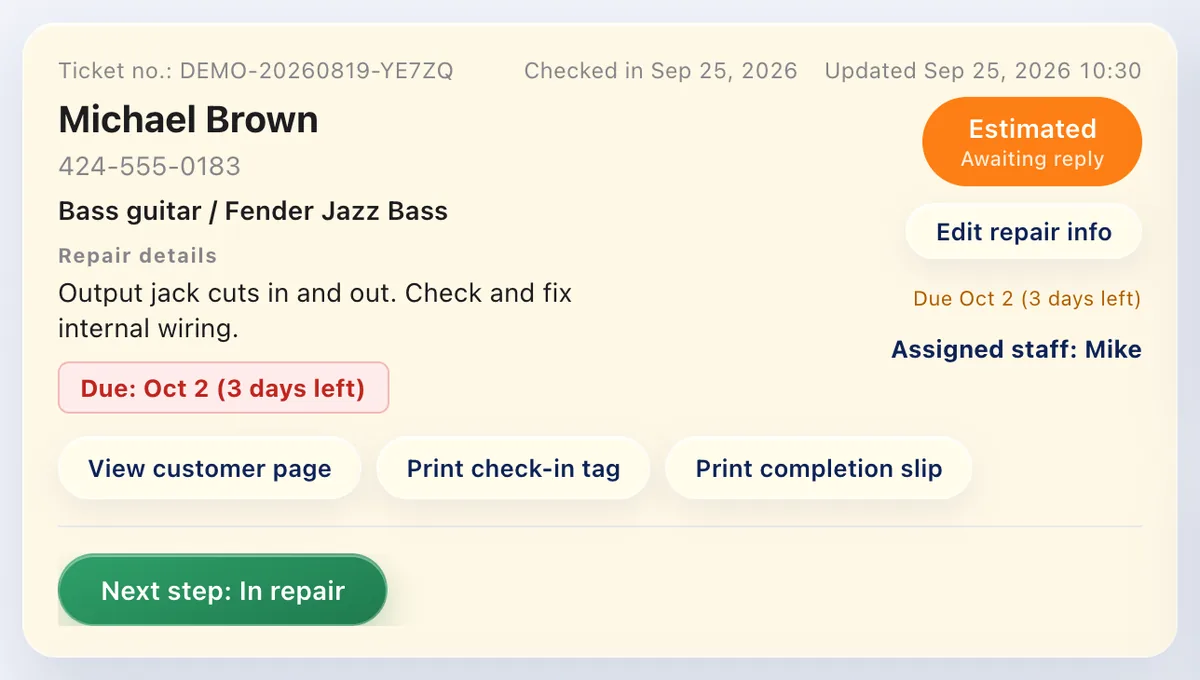
The same log, with customer updates
Send us this spreadsheet as it is and we import it for you, free. Customers check their repair status themselves, and estimates are approved online.
Free plan: up to 100 repairs a month
Start free1. Key points
A spreadsheet is a perfectly good repair log for a small shop if it has three things: one row per item with a ticket number that matches the claim tag, a status column picked from a list (never typed), and the dates that matter (received, promised, picked up). The free template on this page has all three, colors each row by status, and flags overdue promises in red. It stops being enough when you hold dozens of items at once, several people take in repairs, or you spend part of every day telling customers whether their repair is ready.
2. The columns a repair log needs
| Column | Why it's there |
|---|---|
| Ticket # | A running number. Write the same number on the claim tag, and the item on the shelf always matches its row. |
| Received | The day it came in. Days in shop is counted from here. |
| Customer, Phone, Email | How you'll reach them when it's done. Ask for both if you can: some people never pick up the phone. |
| Item type, Item | "Watch" and "Automatic, steel, serial 48812". The type lets you filter, the details stop mix-ups between similar items. |
| Problem (customer's words) | Write what they said, not your diagnosis. It settles "that's not what I asked for" later. |
| Estimate, Approved on | A row with an estimate but no approval date is a customer you're waiting on. |
| Promised date | The date you told the customer. It turns red when it passes and the item is still here. |
| Status | Picked from a list, never typed. Free text can't be filtered: "done", "Done." and "finished" become three different things. |
| Work done, Parts, Tech | What was actually done and by whom. Useful when the same item comes back. |
| Picked up on, Paid | Closes the row. Together with Received, it gives you turnaround time. |
| Days in shop | Worked out for you: from Received until pickup, or until today. |
| Notes | Scratches, missing parts and accessories noted at drop-off, before you start work. |
3. Eight statuses, picked from a list
Every repair is in exactly one of these. Two of them cost you money if they sit too long, so they get a color.
| Status | What it means | Row color |
|---|---|---|
| Checked in (needs estimate) | It's on your bench and the customer hasn't been quoted yet. | None |
| Estimate sent (waiting) | You've quoted it. The ball is in the customer's court. | Yellow |
| In progress | Approved and being worked on. | None |
| Waiting for parts | Approved, but you can't finish it yet. | None |
| Done (customer not told) | The most expensive status: finished work that isn't getting picked up. | Light red |
| Customer notified | You've called, texted or emailed. Now it's waiting on the shelf. | None |
| Picked up | Paid and gone. Keep the row: it's your customer history. | Gray |
| Cancelled | Declined or returned without repair. | Gray |
4. A two-minute check every morning
- Filter Status for Done (customer not told). Call, text or email each one. Finished work that nobody knows about is the easiest money in the shop.
- Filter Status for Estimate sent (waiting). Anything older than a few days gets a follow-up. Customers forget; they rarely mean no.
- Sort by Promised date. A date in red is a customer who was told "by Tuesday". Call before they do.
5. Common mistakes
- Typing the status by hand. Filters stop working the first time someone writes "ready" instead of "Ready". Pick from the list.
- No ticket number on the item. Two black jackets, two silver watches. The number on the tag and the number in the row is what keeps them apart.
- Deleting finished rows. Picked-up rows are how you answer "what did you do last time?". Filter them out instead of deleting them.
- Two copies of the file. One on the shop PC, one on someone's laptop, and neither is right. Keep one file in one place (or one shared sheet online).
- Not writing down the approval. When the bill comes, "I never said yes to that" is hard to answer without a date in Approved on.
6. When a spreadsheet stops being enough
None of these mean the spreadsheet was a mistake. They mean the shop has grown past what one file can do:
- You hold 30 or more items at once, and finding a row takes longer than finding the item
- More than one person takes in repairs, and you're not sure whose copy of the file is current
- You spend time every day telling customers whether their repair is ready
- Customers ask for the estimate in writing, and you're retyping the row into an email
- You want to see turnaround time or monthly totals, and the formulas keep breaking
The last three are the same problem: the spreadsheet knows the status, but the customer doesn't. Repair software closes that gap by sending the estimate and the "ready for pickup" message for you, and by giving each customer a page where they can check their repair themselves. If you're comparing tools, see how to choose repair shop software for a small shop; when you move, switching repair software covers what to bring over.
7. Bringing this log into Repair Karte
You don't need to retype anything. Send the file from Settings > Check-in & jobs > Ask us to import, and our team imports it for you, free on every plan. The template's column names and statuses are the ones Repair Karte reads on import, so every column is matched as it is: ticket number, dates, customer, item, problem, estimate, status, work, parts, technician and amount paid. Finished rows come in as history, open rows as repairs on your list. We let you know in the support chat when it's done, and importing sends nothing to your customers.
8. Frequently asked questions
Does the template work in Google Sheets?
Yes. Upload the .xlsx to Google Drive and open it with Google Sheets. The status list, the row colors and the Days in shop formula come with it.
How many repairs does it hold?
It's set up for 300 rows. To add more, select the last row and fill it down: the status list, colors and formula follow.
Is it really free?
Yes. No sign-up and no email. Change the columns, add your shop name, and share it with your staff however you like.
Can I move this spreadsheet into repair software later?
Yes. Send this file from Repair Karte and our team imports it for you, free on every plan; this template's columns and statuses are read as they are. Importing sends nothing to your customers.
Doing this in Repair Karte
- Reception & Repair Records From intake to delivery, on a single record. (All plans)
- Customer Management Be the shop that says, “Same issue as last time, right?” (All plans)
The Free plan covers up to 100 repairs a month for 1 staff login, with no credit card, and stays free. Automatic email updates to customers start on Standard. Every new account gets all Pro features free for 30 days.
More guides
By trade