

Every pair tagged, tracked and back on timeCleaning, un-yellowing, sole reglues and repaints. When one customer drops off several pairs, every pair gets its own numbered tag and record, an email goes out when they're ready, and customers can check progress themselves on a status page.
Free for up to 100 repairs a month, with no time limit · No credit card · All Pro features free for 14 days
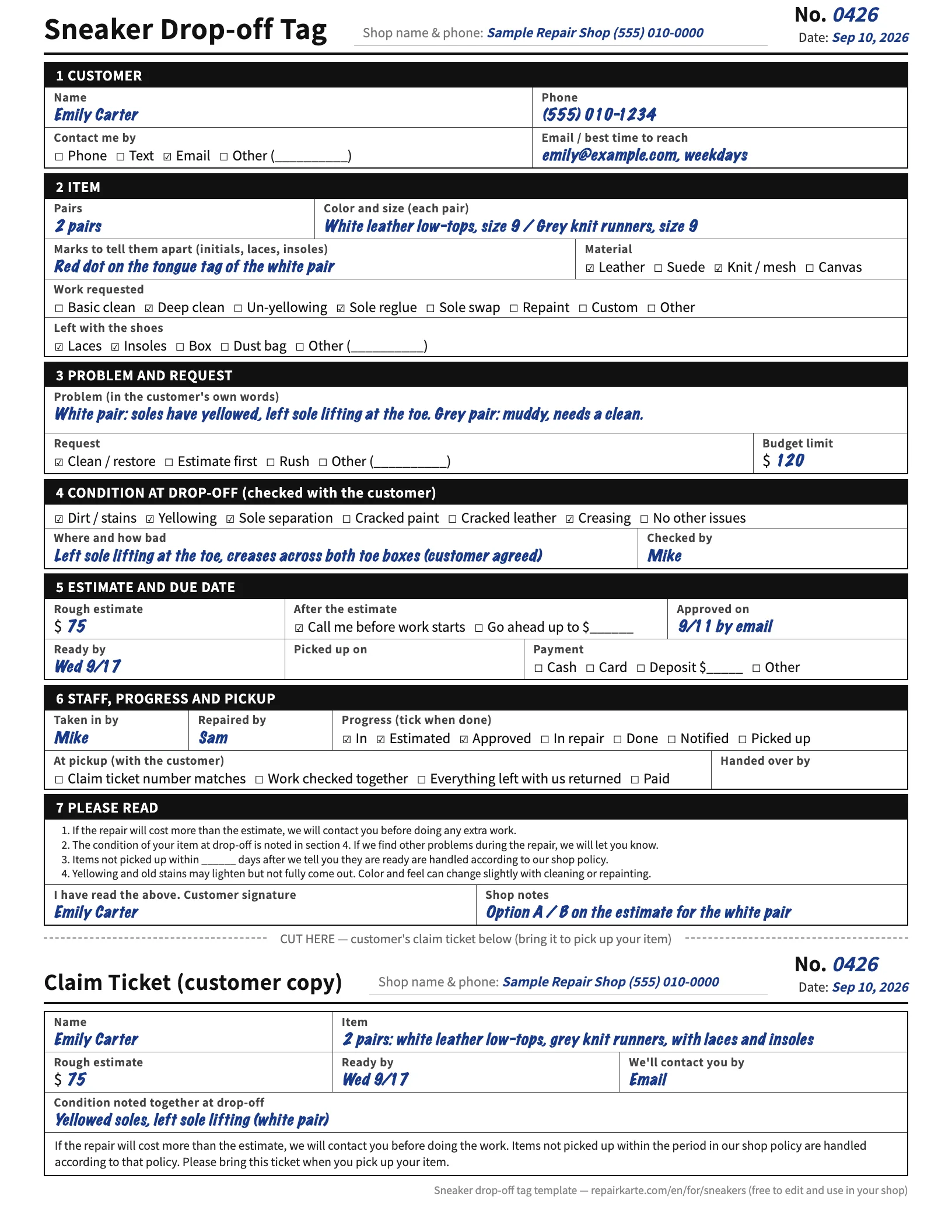
The sneaker drop-off tag, with a tear-off claim ticket
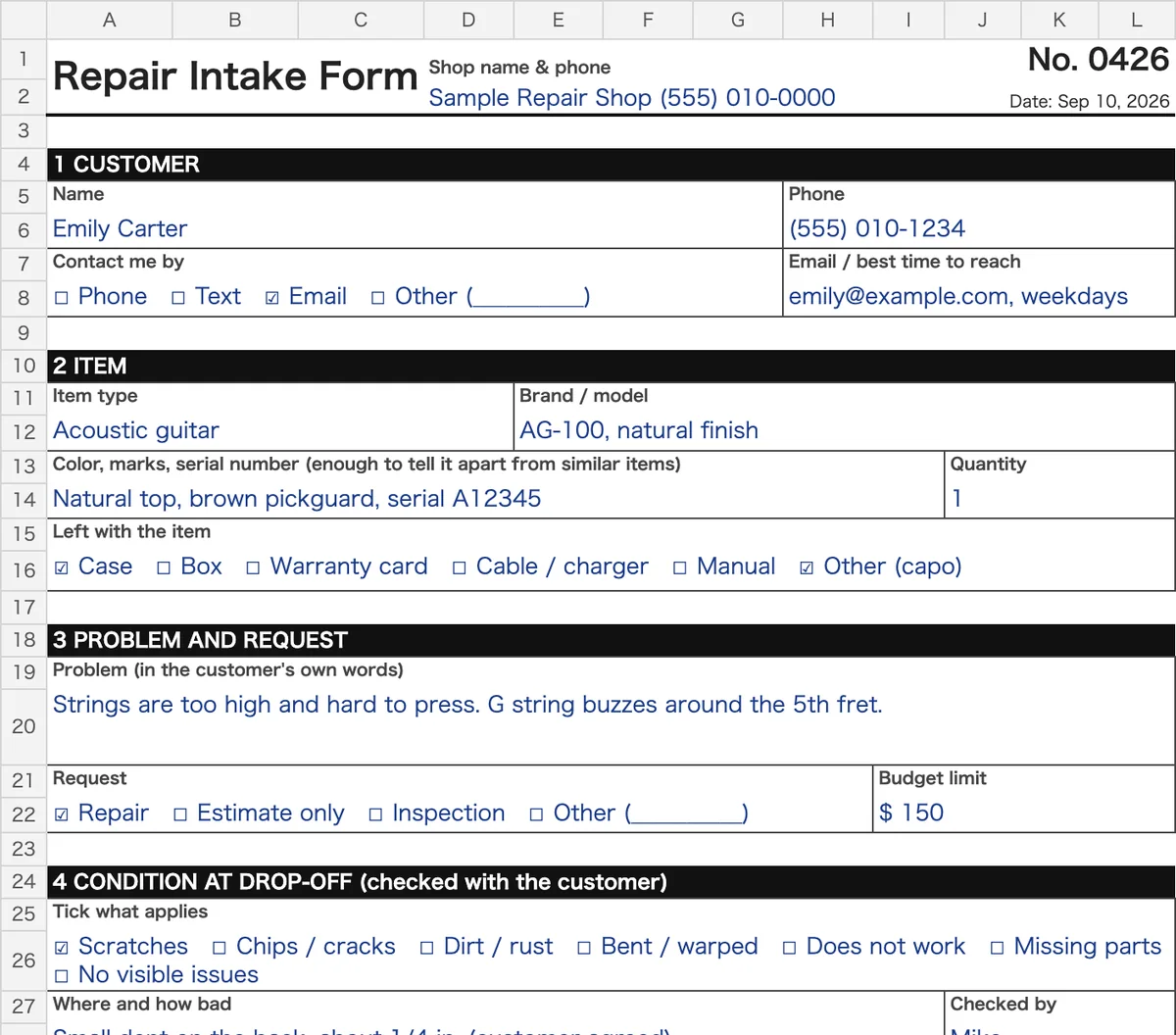
The general repair work order, to change the name or fields
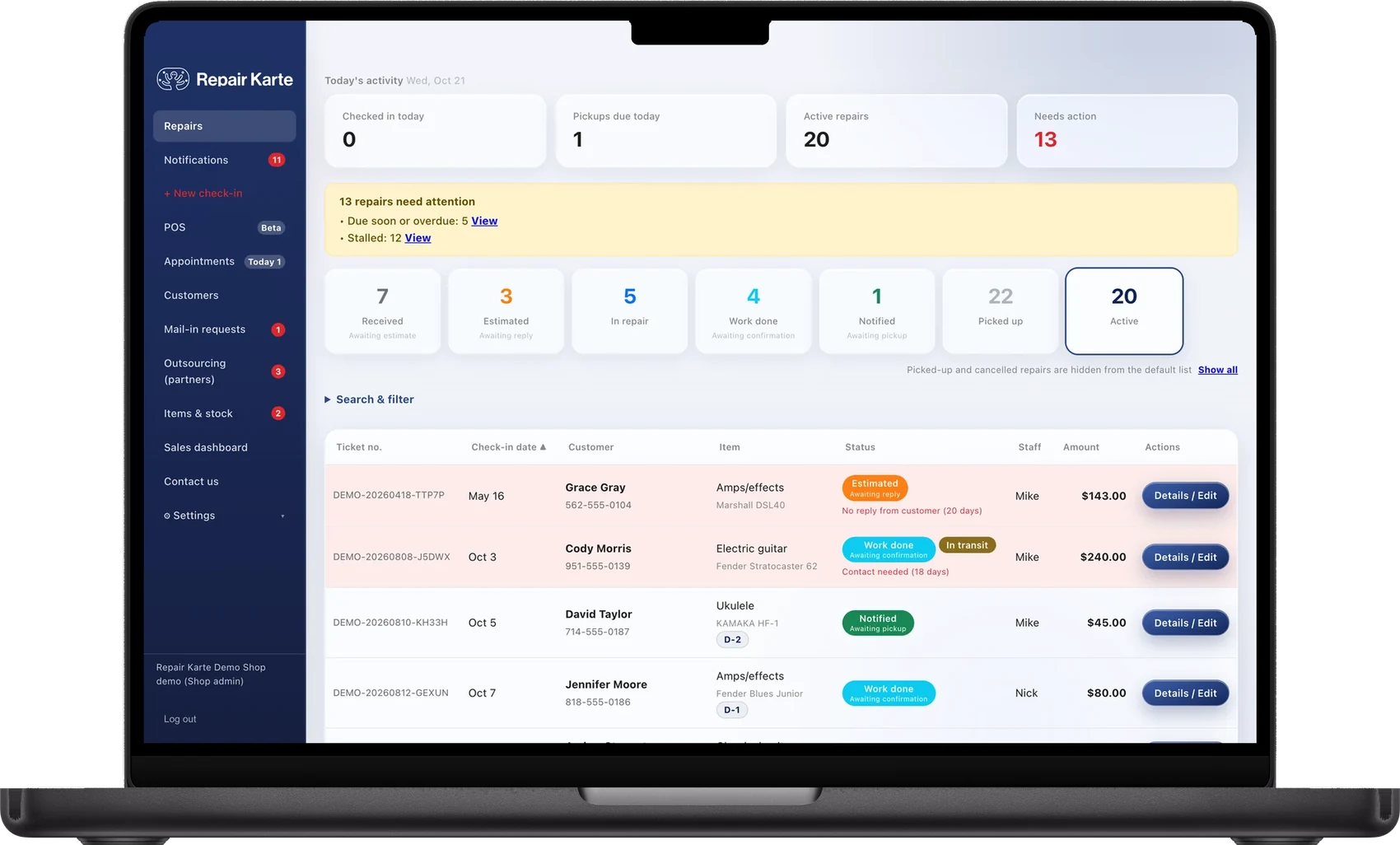
For shops tired of copying and searching
The PDF and Excel files are free, with no sign-up or email (US Letter and A4, with a tear-off claim ticket).
On this page
- A free sneaker drop-off tag
- How one sneaker cleaning repair flows
- What it costs, and what shops say
Contents
01Summary
Repair Karte keeps track of every pair in a sneaker cleaning and restoration shop from drop-off to pickup: a numbered tag and record for each pair, the condition you noted at drop-off, the estimate the customer approves, and the status. You can start on the Free plan at $0 with no time limit, for up to 100 pairs a month. Customers check each pair on its status page, and on Standard and Pro they get an email when the estimate is ready and when their pairs are ready for pickup.
02Free sneaker drop-off tag template (PDF)
A one-page sneaker drop-off tag with a tear-off claim ticket for the customer. It has the fields a sneaker cleaning counter needs: color, size and how many pairs, the condition you both saw at drop-off, the work requested, what was left with the shoes, and the estimate and ready date. Free to print, edit and use in your shop. No sign-up and no email address.
What's on the sneaker drop-off tag
Color, size and how many pairs, the material, and marks to tell each pair apart
Condition at drop-off: dirt and stains, yellowing, sole separation, cracked paint or leather, creasing
Work requested: basic clean, deep clean, un-yellowing, sole reglue, sole swap, repaint, custom
Left with the shoes: laces, insoles, box, dust bag
Rough estimate, ready date, approval, payment, and a tear-off claim ticket with the same number
For other kinds of items, or to edit the form in Excel, use the general repair ticket and work order template. To quote the job in writing, there is a repair estimate template. All templates are on the free templates page.
Once the ticket is filled in: how to number and tag items so they can be found on the shelf, a repair tracking spreadsheet to list every open job, and what to say when you tell the customer it's ready.
03Sound familiar?
One customer drops off four pairs, and the paper stubs get mixed up on the shelf
“Are my shoes done yet?” comes in by DM and phone all day
After the clean, an argument over whether a scuff or crack was there to begin with
04How one sneaker cleaning repair flows
An example of a sneaker cleaning repair in Repair Karte (the customer and item are made up). The plan for each step is written under it; see pricing.
- Step 1 · Check-in
Check in the sneakers for “yellowed soles and a sole coming loose”
Pick the item type and the usual work in a tap, write the symptom, and print a claim tag (PDF on Letter or A4). The customer signs on screen.
Plan: All plans (Free: up to 100 repairs a month) · QR code on the claim tag: Standard and up
- Step 2 · Estimate
Send an estimate with Option A and Option B
Option A: deep clean ($45.00). Option B: deep clean, sole reglue ($75.00). The customer picks one and approves it on the repair's status page. On Standard and Pro the estimate is emailed automatically, and a reminder goes out if they haven't answered (after 5 days to start).
Plan: Approval on the status page: all plans · Automatic email and reminders: Standard and up
- Step 3 · In repair
Add “Sole reglued, clamped to set overnight” to the timeline
The customer can check the status on the repair's status page anytime (from the QR code on their claim tag, or by looking up their phone number). When the parts arrive, move the status on.
Plan: Status page: all plans · QR code on the claim tag: Standard and up
- Step 4 · Ready
Mark it complete, and the customer is told
A ready-for-pickup email goes out with a link to the status page, where the customer can book a pickup time and pay by card before coming in.
Plan: Email: Standard and up · Card payment (Stripe): Standard and up · Pickup booking: Pro
- Step 5 · Pickup
Hand it over and check out
Check out on the ticket: the balance is already there (deposits are taken off), add anything sold with the repair, and record how it was paid. The repair stays on Emily's history, and on the item's history by serial number.
Plan: All plans
05What to look for in sneaker cleaning software
Seven things a sneaker cleaning and restoration shop needs from its software, and how each one works in Repair Karte. The plan is noted on each row.
| What to look for | In Repair Karte |
|---|---|
| Drop-off booking | Customers pick a drop-off time from your booking link and send their name, phone, the shoes and what they need. On the day, the check-in screen opens with the booking filled in and you take their signature. You can add bookings taken by phone, and customers can book a pickup time once a pair is ready. Pro; turn it on in Settings. |
| A tag for every pair | Check in several pairs together and each gets its own number and printed shop tag, linked as checked in together. The customer takes one claim ticket listing every pair (PDF on Letter or A4). Every plan. On Standard and up the claim ticket has a QR code to the status page. |
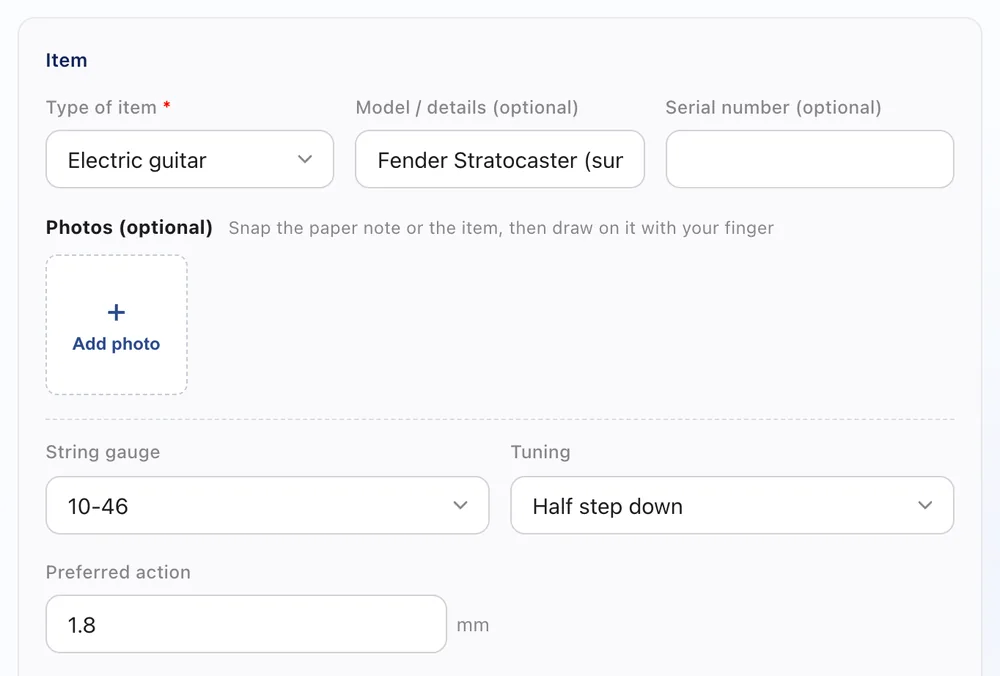
| Photos and condition at drop-off | Tick a before-work inspection checklist on the ticket and add a note; the customer signs on screen at check-in (every plan). On Pro, take photos at check-in and draw on them with your finger to circle a scuff or a lifted sole. Check-in photos stay in your shop's record. |
| Status page for customers | Each pair has a status page with its progress and estimate. Customers open it from a link you send, the QR code on their tag (Standard and up), or by looking up their phone number. Every plan. |
| Estimate approval with Option A and B | Split the estimate into up to three options, such as a deep clean alone or with a sole reglue. The customer picks one and approves it on the status page (every plan). Emailed estimates and reminders: Standard and up. |
| Ready-for-pickup email | Mark the job complete and an email goes out with a link to the status page, and, if you turn it on, a reminder if the pair is still waiting. Standard and up. On Pro, add after photos to the repair report. |
| POS and inventory | Check out the job and sell cleaning kits, laces or protector spray in the same sale. Items & stock tracks stock and lists what needs ordering. Every plan; turn on "Use POS" in Settings. Shops that keep their register leave it off. |
06The repair record, and the email your customer gets
Left: the record your shop keeps. Right: the estimate email the customer receives (Standard and up). Example values.
- Customer
- Emily Carter
- Item
- Sneakers / White leather low-tops, size 9
- Symptom
- Yellowed soles and a sole coming loose
- Estimate
- Option A: Deep clean $45.00
Option B: Deep clean, Sole reglue $75.00
Note to customer: Option A cleans the uppers, midsoles and laces. Option B also reglues the left sole, which has lifted at the toe. - Shop notes
- Checked in with a second pair (separate ticket). Laces and insoles left with the shoes. Prefers email.
- Timeline
- Sole reglued, clamped to set overnight
- Repair report
- We deep cleaned the uppers, midsoles and laces, and reglued the left sole at the toe. The yellowing on the soles is lighter after cleaning; un-yellowing is a separate service if you'd like them whiter. We recommend wiping the midsoles after wearing them in the rain.
[Sample Sneaker Care] Your estimate (No.0124)
[Sample Sneaker Care] Hello Emily Carter,
■ Sneakers / White leather low-tops, size 9 (No.0124)
Your estimate is ready.
Please choose one of 2 options.
[Option A]
・Deep clean $45.00
Option A total: $45.00
[Option B]
・Deep clean $45.00
・Sole reglue $30.00
Option B total: $75.00
Total: Option A $45.00 / Option B $75.00
Please review the details and approve or cancel on the page below.
(link to the repair's status page)
The status page has the “Approve this estimate” button. Customers without email can open it from the QR code on their claim tag, or by looking up their phone number.
07Made for sneaker cleaning repairs
Add Basic clean, Deep clean, Un-yellowing, Sole reglue, Repaint and the rest as common jobs. Tap the ones the customer wants at check-in; several jobs on one pair stay on the same record.
Record where each pair sits (for example, drying rack 2 or shelf B-3) so anyone at the counter can find it at pickup.
Record a deposit on a repaint, a sole swap or a custom job, and the balance due shows on the status page and the receipt.
Every feature and plan: all features · what it does
08Ready to use from day one
Choose Shoes & bags as your trade when you set up, and these item types, jobs, currency and time zone are ready. Then add your own menu as common jobs, such as Basic clean, Deep clean, Un-yellowing (sole icing), Sole reglue, Sole swap, Repaint and Custom, so each one is a tap at check-in. Add or remove items and jobs any time.
Item types
Common jobs (one tap at check-in)
Local currency and time zone
09What shops say
- United States
Long Beach Optix
Camera repair & sales
Repair Karte has been changing the game for our business! … Our highest recommendations!
Review on Trustpilot · Nov 2026
- Greece
Dimitrios
Repair technician, 20 years
I have used many platforms the 20years i work as a technician and i must say that yours is fast and has everything i need to use.
Review on Trustpilot · Nov 2026
- Ireland
TJ
Overall, my experience has been very positive everything looks neat, clean, and well designed.
Review on Trustpilot · Nov 2026
- Canada
Xclusive Shoe Spa
Shoe care & repair
Repair Karte is easy and fast
Review on Trustpilot · Nov 2026
10Questions from sneaker cleaning & restoration shops
A customer drops off several pairs at once. How do I keep them apart?
Check them in together with + Add item. Each pair gets its own numbered record and printed shop tag, the records are linked as checked in together, and the customer takes one claim ticket that lists every pair. Record a shelf for each pair so anyone can find it at pickup.
Can I record the condition of the shoes before I start?
Yes. Turn on inspection checklists and tick the before-work list on the ticket, for example yellowing, sole separation, cracked paint and creasing, with a short note. The customer signs on screen at check-in (every plan). It all stays on the record. On Pro you can also take photos at check-in and draw on them with your finger to circle the exact spot.
Can I offer Basic, Deep and Restoration as different levels?
Yes. Add each level as a common job so it's one tap at check-in. When the customer hasn't decided, split the estimate into Option A, Option B and Option C, such as a basic clean, a deep clean, or a deep clean with un-yellowing, each with its own total. The customer picks one and approves it on the status page (every plan).
Can customers check whether their sneakers are done?
Yes. Every pair has a status page with its progress, and customers can look up their pairs by phone number on every plan. On Standard and Pro the claim tag has a QR code to the page, and an email goes out automatically when you mark the job as complete. On Pro you can add after photos to the repair report the customer sees.
Can I check out at the counter and sell cleaning kits too?
Yes, on every plan. Turn on "Use POS" in Settings > Payments & printing, and the ticket's pickup step becomes Check out: the balance is already there, and you can add a cleaning kit, laces or protector spray sold with the job. Items & stock keeps count of what you sell. Take the card on the terminal you already use and record it as Card. If you'd rather keep your register, leave POS off and nothing changes.
How much does it cost for a sneaker cleaning shop?
Free is $0 with no time limit: up to 100 repairs a month and 1 login. Standard is $30 a month for up to 3 logins and adds automatic email updates, mail-in repairs and card payments; Pro is $60 a month with unlimited logins. Prices are per shop, and every new account gets all Pro features free for 14 days with no credit card.
Does it work in my country?
Repair Karte works in English, Japanese, Traditional Chinese and Greek. Shops in the United States, Canada, the United Kingdom, Australia, Singapore, Hong Kong, Jordan, the Philippines, Greece, Ireland, the Maldives, Japan and Taiwan work in their local currency and time zone, and shops in any other country work in US dollars and choose their time zone from major cities worldwide. In the United States, Canada and other countries with local sales tax, you set your own rates, up to two (for example GST and PST). The status page and emails your customers get are in your shop's language. Repair shops in Canada, Mexico, the United Kingdom, the United States, Ireland, Greece, North Macedonia, Jordan, Bangladesh, Indonesia, the Philippines, Australia, the Maldives, Nepal, Portugal and Japan have signed up (as of November 2026).
Can I bring over my existing records?
Yes, free on every plan. Send us an Excel or CSV ledger, an export from RepairDesk or RepairShopr, or photos of your paper tickets, and our team imports them for you; customers are not notified. Or simply start with your next drop-off.