New tickets, status changes, new customers, invoices, payments and inventory changes are sent to Zapier or Make automatically, and from there to thousands of apps such as Google Sheets, Slack and accounting software. No more typing the same thing into another app.
Available on: ProA Pro plan feature, not included on Free or Standard. Every new account can try it free for 30 days. Compare plans →
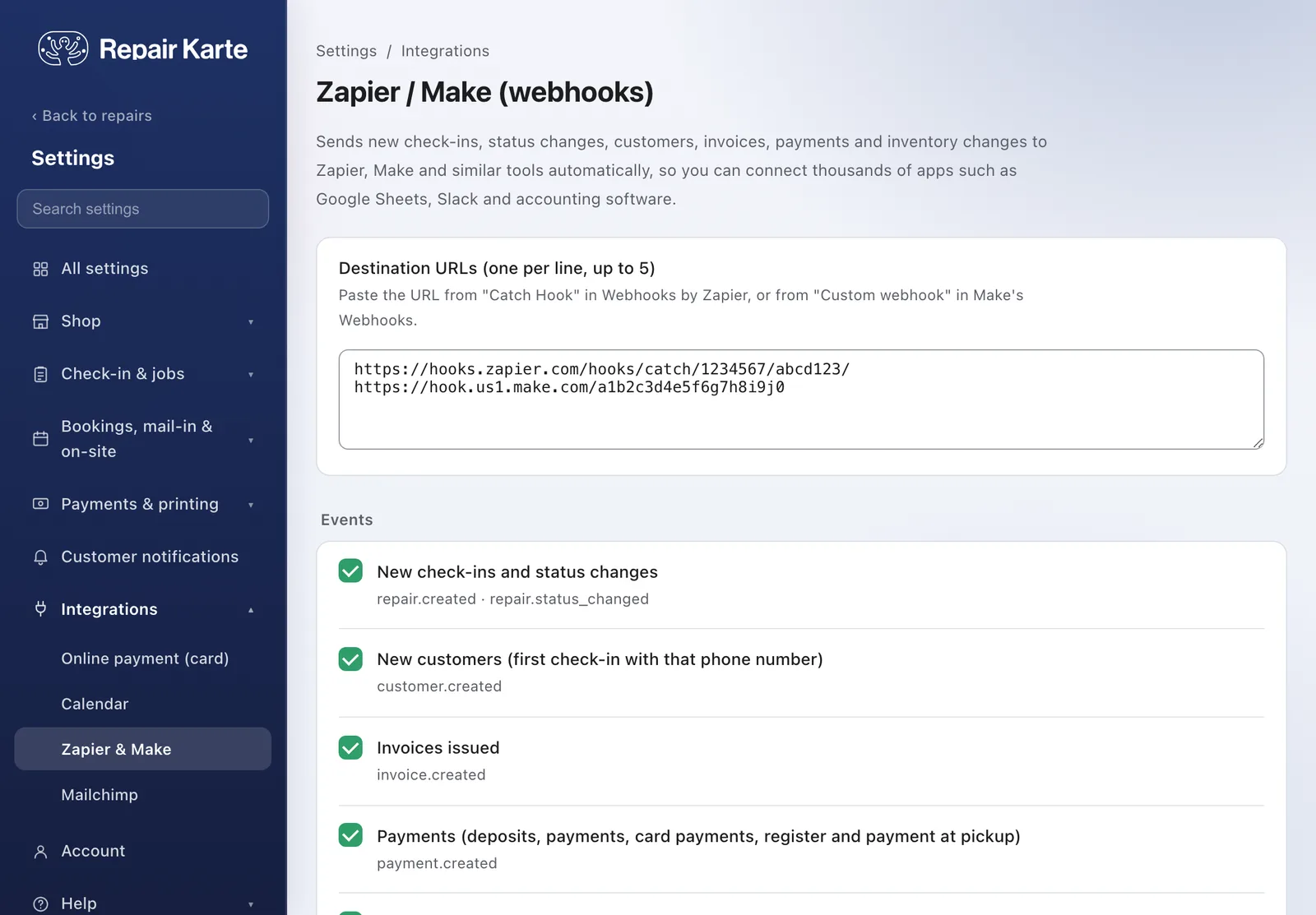
Tickets, status changes, customers, invoices, payments and inventory changes are sent within seconds. Anything that couldn't be delivered is retried about every 15 minutes, and the same event is never sent twice.
Paste the URL from Zapier's Catch Hook or Make's Custom webhook, tick the events you want and save. Up to 5 URLs. Use Send test to see the data before you build the rest of your workflow.
Each delivery says which event it is, so a Zapier Filter or a Make Router can send tickets to a spreadsheet and payments to your accounting software. Amounts come with their currency.
Seven: new tickets and status changes (repair.created, repair.status_changed), new customers (customer.created), invoices (invoice.created), payments (payment.created), and new items and stock or price changes (inventory.created, inventory.updated). You choose which ones to send.
No. You connect the incoming events to your apps in Zapier or Make, without writing code.
Yes. The X-RepairKarte-Signature header carries an HMAC-SHA256 of the body, computed with your signing secret. If you only use Zapier or Make, you don't need to worry about it.
A Pro plan and a Zapier or Make account. Paste the webhook URL into Settings > Integrations > Zapier & Make and save. Zapier and Make pricing depends on your plan with them.
The Free plan covers up to 100 repairs a month for 1 staff login, with no credit card, and stays free. Automatic email updates to customers start on Standard. Every new account gets all Pro features free for 30 days.

