Repair Karte has a built-in POS and inventory on every plan, including Free, so repair tickets and retail sales go through one checkout. Turn on "Use POS" in Settings and the pickup step on each ticket becomes Check out. The balance is already filled in, you can add items sold with the repair, and checking out marks the job as picked up and records how the customer paid. No more ringing up the repair a second time on a separate register.
Available on: All plans, including Free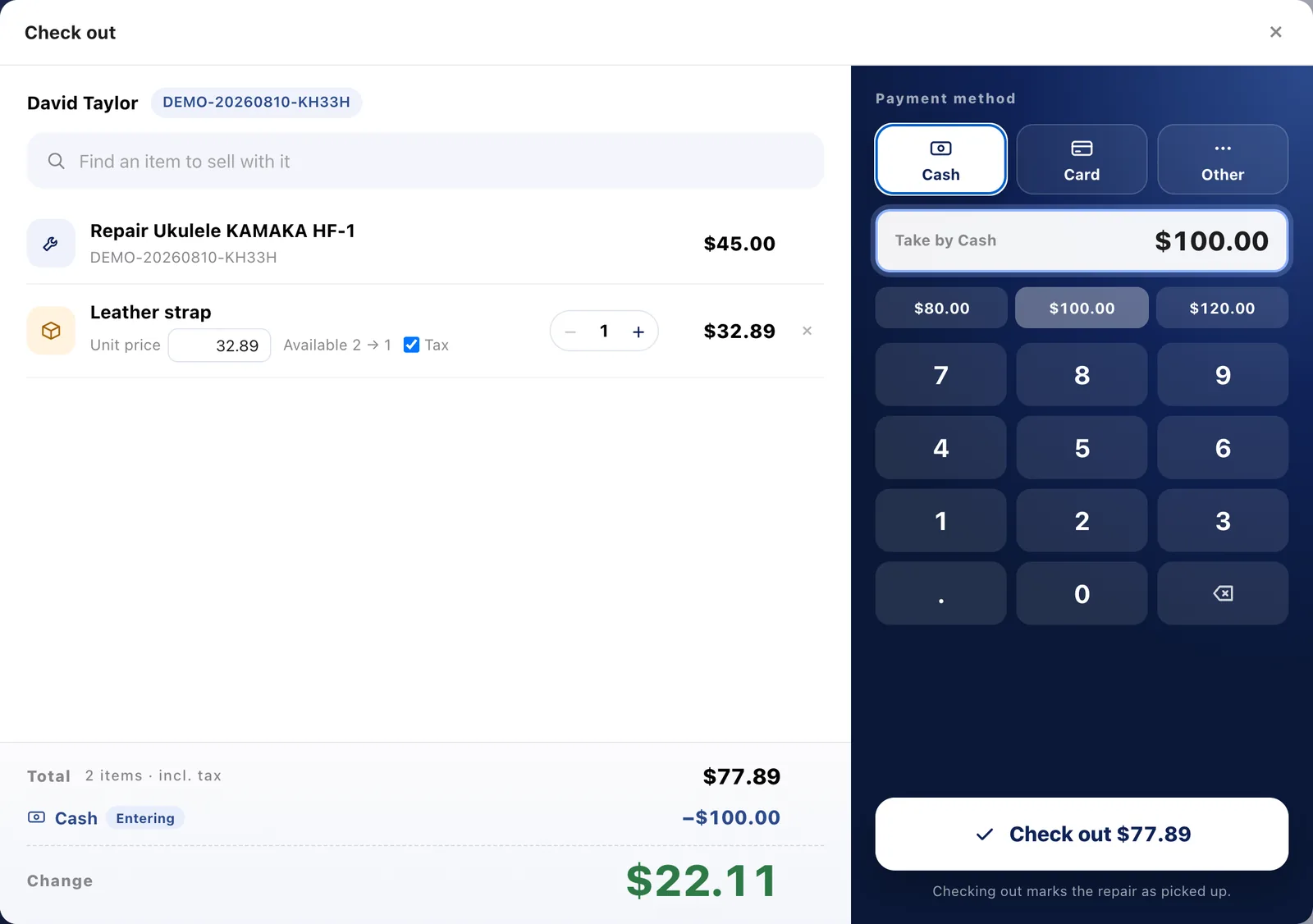
Press Check out on a ticket and the balance is already there. Deposits, earlier payments and online card payments are listed as minus lines, so you only collect what's left. Add a case, battery or cable to the same sale; items in stock come up as you type. Retail-only sales start from "+ Sale" on the POS screen.
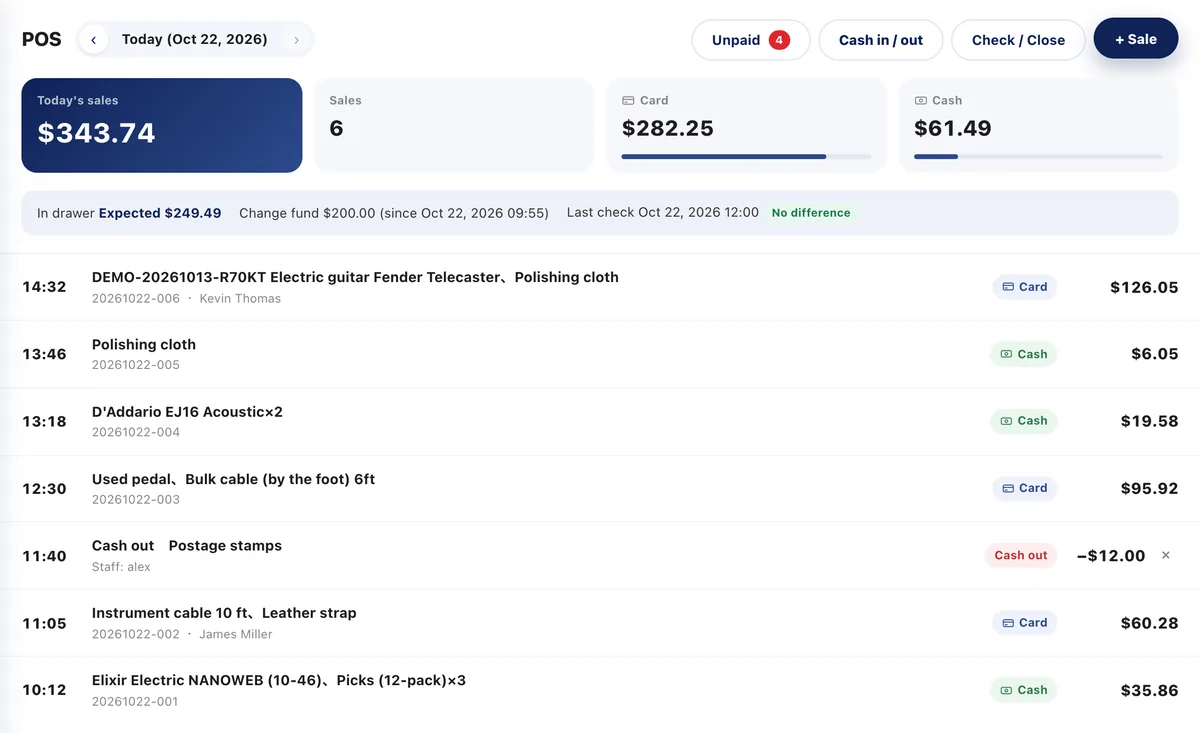
Choose cash, card or other, and split one sale across several methods; change is worked out for cash. The POS screen shows the day's sales, totals by payment method, and every sale and cash movement, newest first. Take cards on the terminal you already use and record them with one tap.
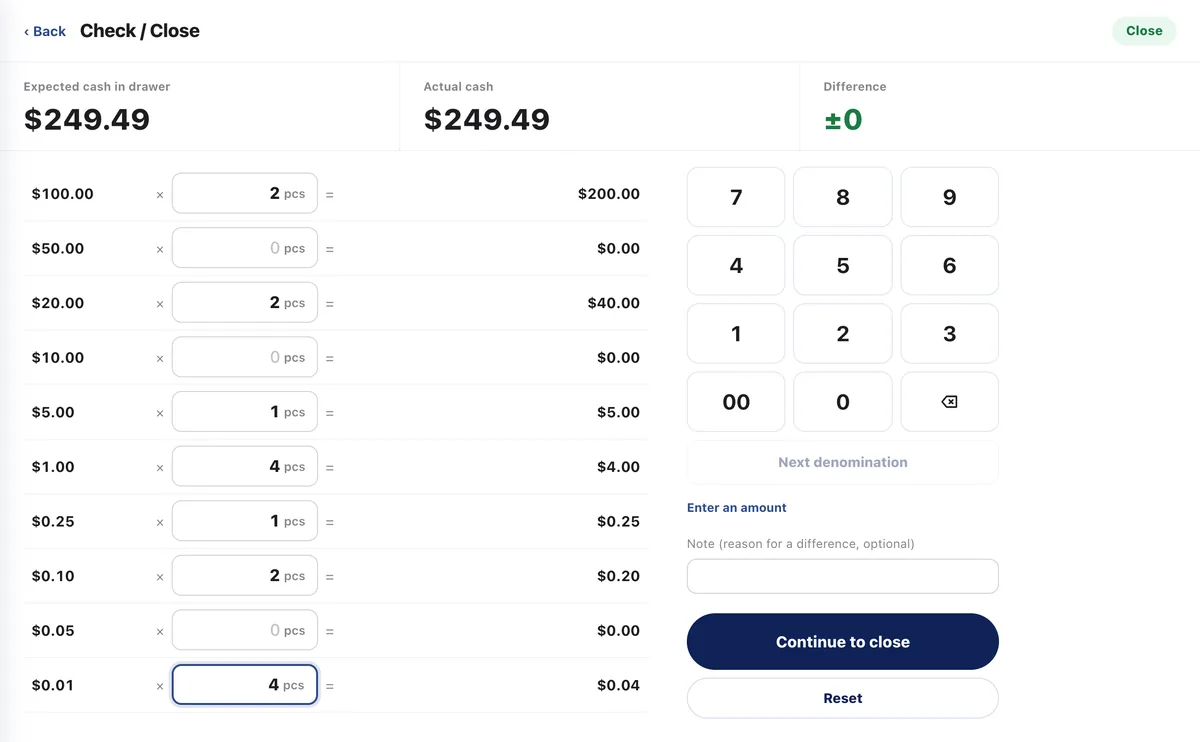
Enter the count for each denomination and see the expected cash and any difference right away, as often as you like. Closing saves an end-of-day report (A4, or US Letter in the US and Canada) and sets tomorrow's float. Cash added or taken out for change or small purchases goes in with Cash in / out.
Save a sale partway through and finish it later from Saved sales, even on a different device. Returns and voids are for the shop owner only; returned items go back into stock, and the sales ledger gets a negative row on the day of the return. After checkout, issue an invoice or receipt from the same window as for repairs.
Every plan, including Free. Register close and selling items from stock are included too. To start, turn on "Use POS" under POS in Settings > Payments & printing.
Take the payment on the card terminal you already use, then choose Card in the checkout window. Totals by payment method appear on the POS screen, in Check / Close and in the sales ledger. Customers can also pay online by card before pickup (Standard and up), and that amount is already taken off at checkout.
Yes. If you leave "Use POS" off, pickup works just as before, and you can keep ringing up sales on your current register.
Items sold at the POS come out of stock when the sale is made, and items picked on a repair estimate come out when the work is marked done. Returned items go back into stock. Inventory is on every plan too.
In the sales ledger, the repair line shows the payment method, and items sold with it appear as Retail lines. They're included in the Pro plan's sales dashboard too.
The Free plan covers up to 100 repairs a month for 1 staff login, with no credit card, and stays free. Automatic email updates to customers start on Standard. Every new account gets all Pro features free for 30 days.

