Customers with an email address are added to your Mailchimp audience automatically. Split them across lists by item type or repair tag, and see who has unsubscribed right in your customer list. No more exporting and re-importing spreadsheets.
Available on: Standard / ProNot on the Free plan (available on Standard and Pro). Every new account gets all Pro features free for 30 days. Compare plans →
Customers with an email address are added to your Mailchimp audience about every 15 minutes, and your existing customers are sent when you save the settings. Only names and email addresses are sent.
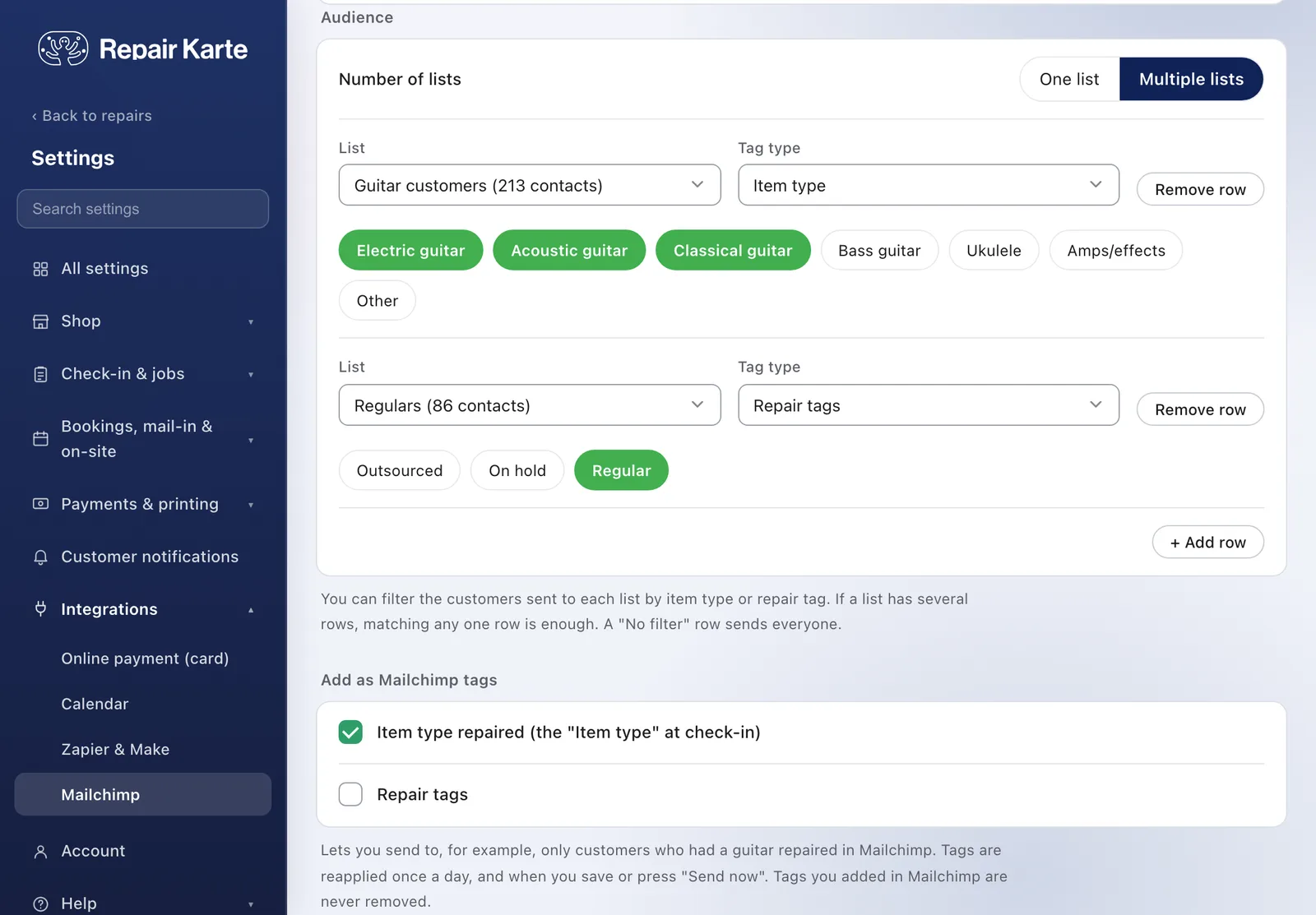
Choose Multiple lists and add rows of List | Tag type | Tags to send guitar customers to one list and regulars to another. Item types and repair tags can also be added as Mailchimp tags.
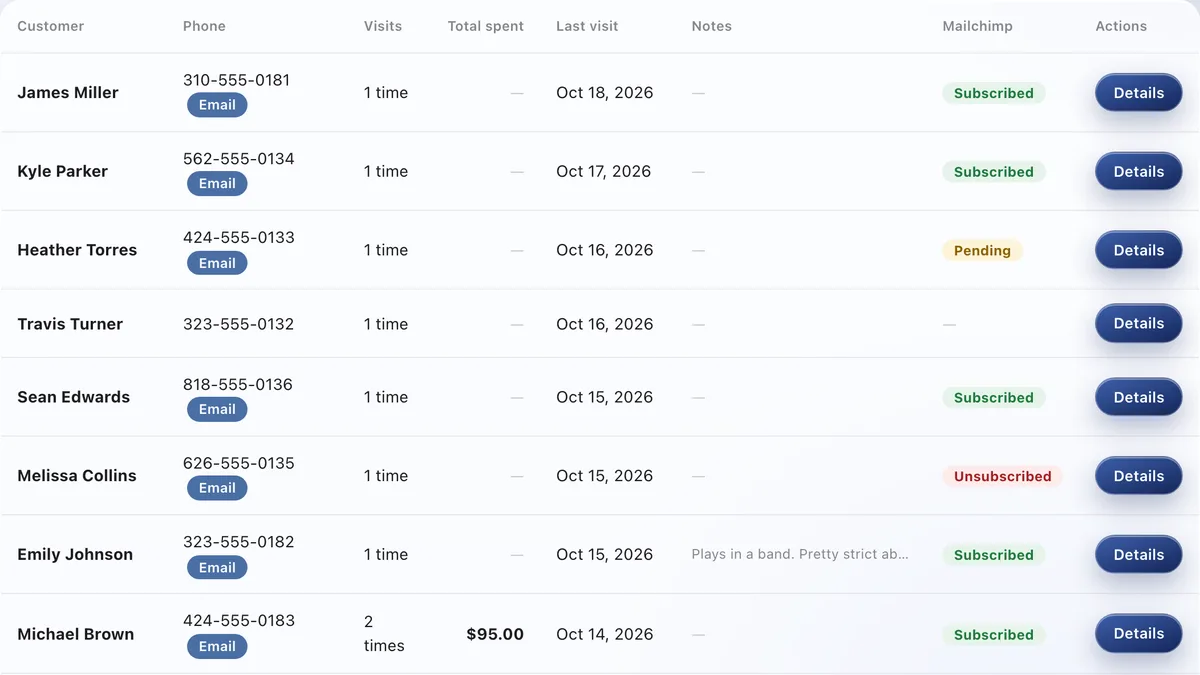
Repair Karte checks Mailchimp about every hour and shows Subscribed, Pending or Unsubscribed in the Mailchimp column of your customer list and on each customer's page.
Customer names and email addresses. If you choose, item types and repair tag names are added as Mailchimp tags. Phone numbers and repair details are not sent.
By default customers are subscribed directly, with no confirmation email. If you choose to send a confirmation email, Mailchimp emails the customer first and they're subscribed once they confirm.
Within about an hour they show as Unsubscribed in your customer list and on their customer page. Repair Karte never overwrites people already in Mailchimp, so unsubscribed customers stay unsubscribed. Estimates and completion notices are still sent as usual.
A Standard or Pro plan and a Mailchimp account. Paste the API key you create in Mailchimp into Settings > Integrations > Mailchimp, choose your lists, and save. Mailchimp's own pricing depends on your Mailchimp plan.
The Free plan covers up to 100 repairs a month for 1 staff login, with no credit card, and stays free. Automatic email updates to customers start on Standard. Every new account gets all Pro features free for 30 days.

